> ## Documentation Index
> Fetch the complete documentation index at: https://docs.ecrypt.com/llms.txt
> Use this file to discover all available pages before exploring further.
# Dynamic Checkout Page
> A feature-rich tool that offers an end-to-end sales solution with a highly customizable checkout/invoice experience.
Dynamic Checkout is a feature-rich tool that offers an end-to-end sales solution for ISV partners. It creates a highly customizable checkout/invoice experience that can be fully branded to the user's preference. The interface offers complete control over the design, including the use of colors, fonts, logos, and background colors, creating a unique brand experience for users.
Users can add an itemized list of the products they are selling, along with the respective prices. Additionally, Dynamic Checkout supports adding tax, surcharge, and custom total price. This feature offers greater flexibility for users when creating and managing their checkout/invoices.
The API returns a link that can be used in an iframe, email, or SMS, making it an efficient way to share invoices with customers. The responsive design of the checkout/invoice is also highly advantageous, as it ensures that customers can view the invoice on any device, making it highly accessible.
In summary, Dynamic Checkout offers a highly customizable and responsive checkout/invoice experience, complete with a flexible pricing structure, making it an invaluable tool for ISV partners.
## Get Started
You will need to post to this API using your private key in the headers:
```text theme={null}
https://api.ecrypt.com/v1/dynamiccheckout
```
Here is an example of what you will post in the body for a checkout:
```json theme={null}
{
"invoice_info": null,
"tax": 6.00,
"discount": 0.00,
"surcharge": 6.18,
"total": 82.18,
"subtotal": 70.00,
"collect_shipping": false,
"send_receipt": true,
"thank_you_url": "",
"customer_info": null,
"items": [
{
"name": "Lorem ipsum dolor",
"price": 70.00,
"quantity": 1,
"description": "Lorem ipsum dolor sit amet, consectetur adipiscing elit. Aenean ac aliquam massa. Item 1 description"
}
],
"appearance": {
"invoice_text_color": "",
"invoice_accent_color": "",
"invoice_border_color": "",
"invoice_background_color": "",
"invoice_button_text_color": "",
"invoice_button_background_color": "",
"invoice_icon_theme": "",
"form_icon_theme": "",
"form_text_color": "",
"form_accent_color": "",
"form_border_color": "",
"form_background_color": "",
"form_button_text_color": "",
"form_button_background_color": "",
"form_input_text_color": "",
"form_input_background_color": "",
"alert_color": "",
"input_variant": "",
"success_color": "",
"mobile_icon_theme": "",
"mobile_text_color": "",
"mobile_background_color": "",
"mobile_button_text_color": "",
"mobile_button_background_color": "",
"mobile_input_text_color": "",
"mobile_input_background_color": "",
"mobile_input_border_color": "",
"invoice_mobile_background_color": "",
"invoice_mobile_text_color": "",
"mobile_accent_color": ""
}
}
```
## Dynamic Checkout Object Documentation
This object represents an invoice/checkout and contains various properties and sub-objects describing the invoice's/checkout's details.
***
### invoice\_info
This object contains details about the invoice.
* `number` (string): The invoice number.
* `invoice_date` (string): The date the invoice was issued.
* `due_date` (string): The due date for payment.
**Example:**
```json theme={null}
"invoice_info": {
"number": "9621876516",
"invoice_date": "1-07-2023",
"due_date": "12-30-2023"
}
```
If left `null` it won't display the invoice information on the left.
If `invoice_info` object is left `null`:
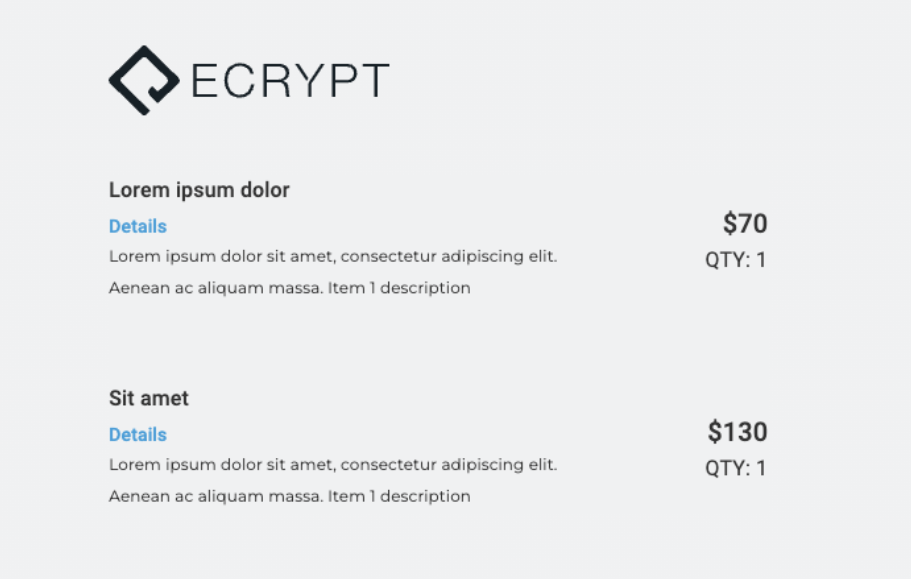
If `invoice_info` object is `filled`:
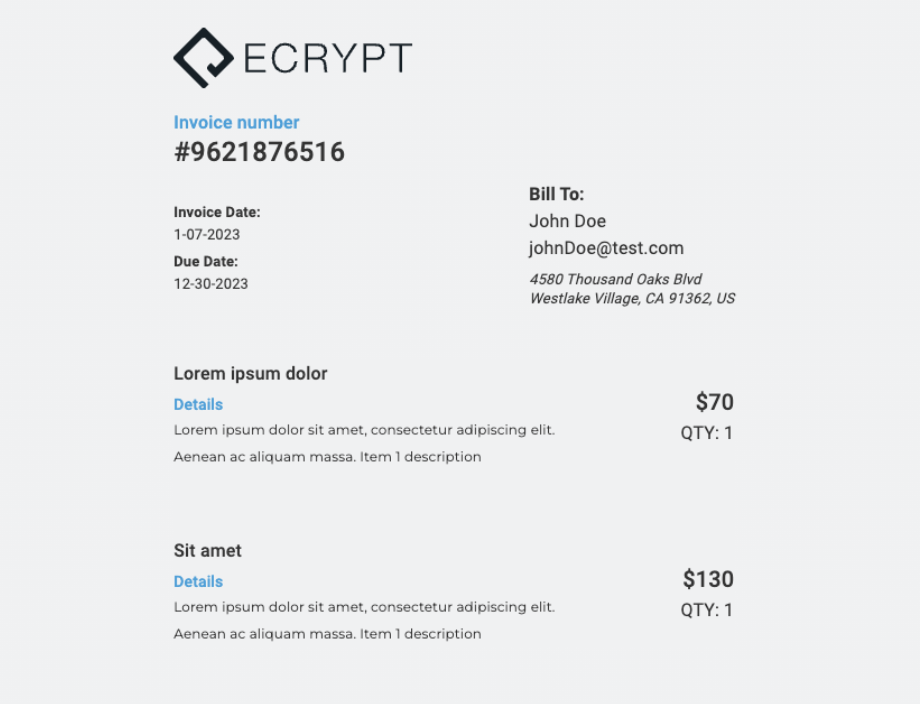
***
### tax
This property is a floating-point number representing the total amount of tax charged on the invoice.
**Example:**
```json theme={null}
"tax": 6.00
```
***
### discount
This property is a percentage representing the discount rate applied to the invoice.
**Example:**
```json theme={null}
"discount": "3%"
```
***
### surcharge
This property is a floating-point number representing the total amount of surcharge charged on the invoice.
**Example:**
```json theme={null}
"surcharge": 2.00
```
***
### total
This property is a floating-point number representing the total amount due for the invoice.
**Example:**
```json theme={null}
"total": 300.00
```
***
### subtotal
This property is a floating-point number representing the subtotal of the invoice before taxes and surcharges are added.
**Example:**
```json theme={null}
"subtotal": 200.00
```
***
### collect\_shipping
This property is a Boolean value indicating whether or not you want to collect the shipping information of your user. This will add an extra step to the flow.
**Example:**
```json theme={null}
"collect_shipping": false
```
***
### send\_receipt
This property is a Boolean value indicating whether or not the invoice should be sent to the customer as a receipt. If true, this will add an email input when collecting your user's payment information. By default, this is set to false.
**Example:**
```json theme={null}
"send_receipt": false
```
***
### thank\_you\_url
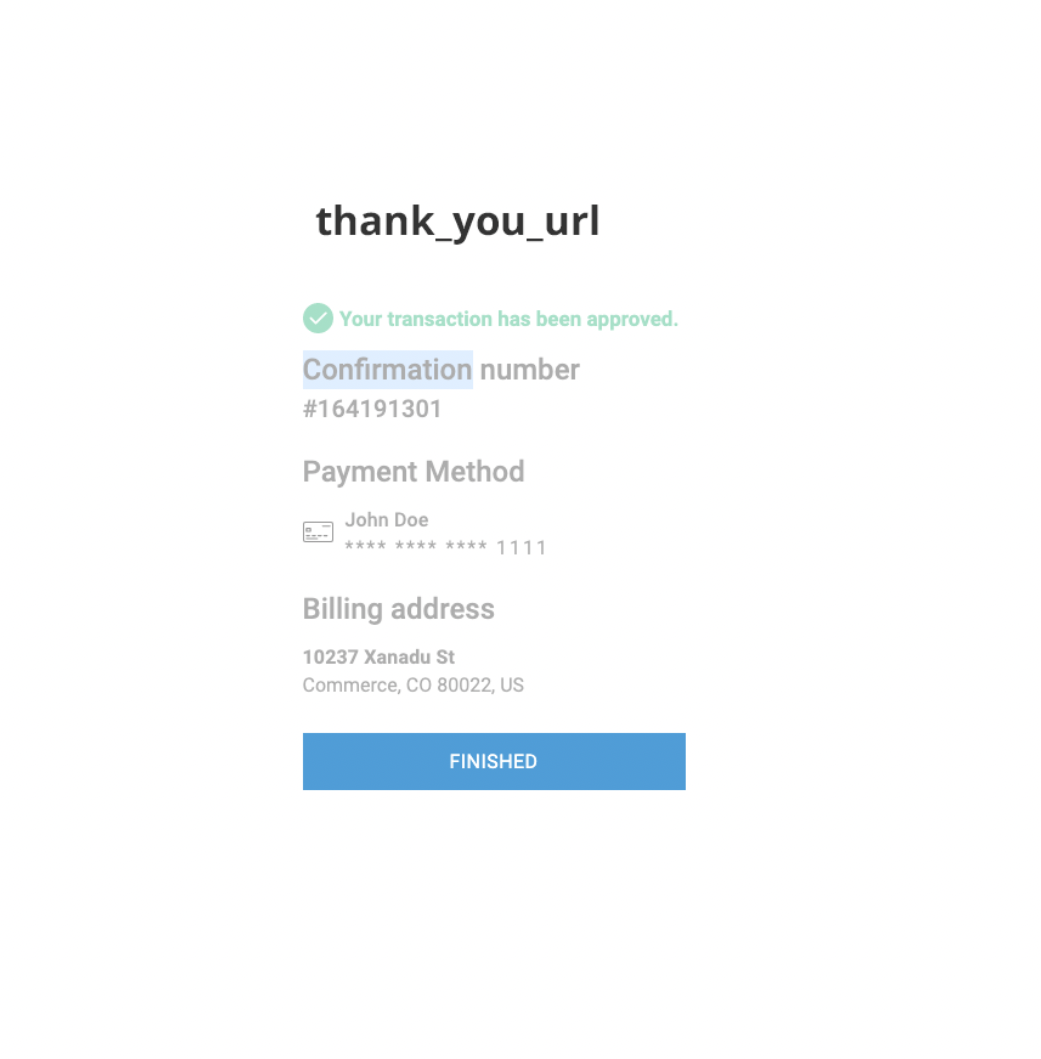
This property refers to a string value that designates a URL for a button on the Order confirmation page. This allows users to easily navigate back to any link that is passed to the button.
**Example:**
```json theme={null}
"thank_you_url": "https://www.ecrypt.com/"
```
***
### customer\_info
This object contains details about the customer who is receiving the invoice. If `invoice_info` is left `null`, this information will not be displayed in the UI but will be used to prefill user info in the Payment / Billing inputs.
* `name` (string): The customer's name.
* `email` (string): The customer's email address.
* `address` (string): The customer's street address.
* `city` (string): The customer's city.
* `state` (string): The customer's state.
* `zip` (string): The customer's ZIP or postal code.
* `country` (string): The customer's country.
**Example:**
```json theme={null}
"customer_info": {
"name": "John Doe",
"email": "johnDoe@test.com",
"address": "12301 Fake Oaks Blvd",
"city": "Beverly Hills",
"state": "CA",
"zip": "90210",
"country": "US"
}
```
***
### items
This property is an array of objects representing the items included in the invoice. Each item object contains the following properties:
* `name` (string): The name of the item.
* `price` (number): The price of the item.
* `quantity` (number): The quantity of the item.
* `description` (string): A description of the item.
**Example:**
```json theme={null}
"items": [
{
"name": "Hover-1 Pro Series Altai R500 Electric Bicycle",
"price": 23000.99,
"quantity": 1,
"description": "PERFORMANCE THAT EXCITES - Altai R500's powerful 500W motor..."
},
{
"name": "Seway Scooter Lock Cable for Xiaomi Mijia M365 ES Series",
"price": 13.49,
"quantity": 1,
"description": "BRAIDED STEEL & PVC COATING: Scooter cable lock is made of high strength braided steel wire..."
}
]
```
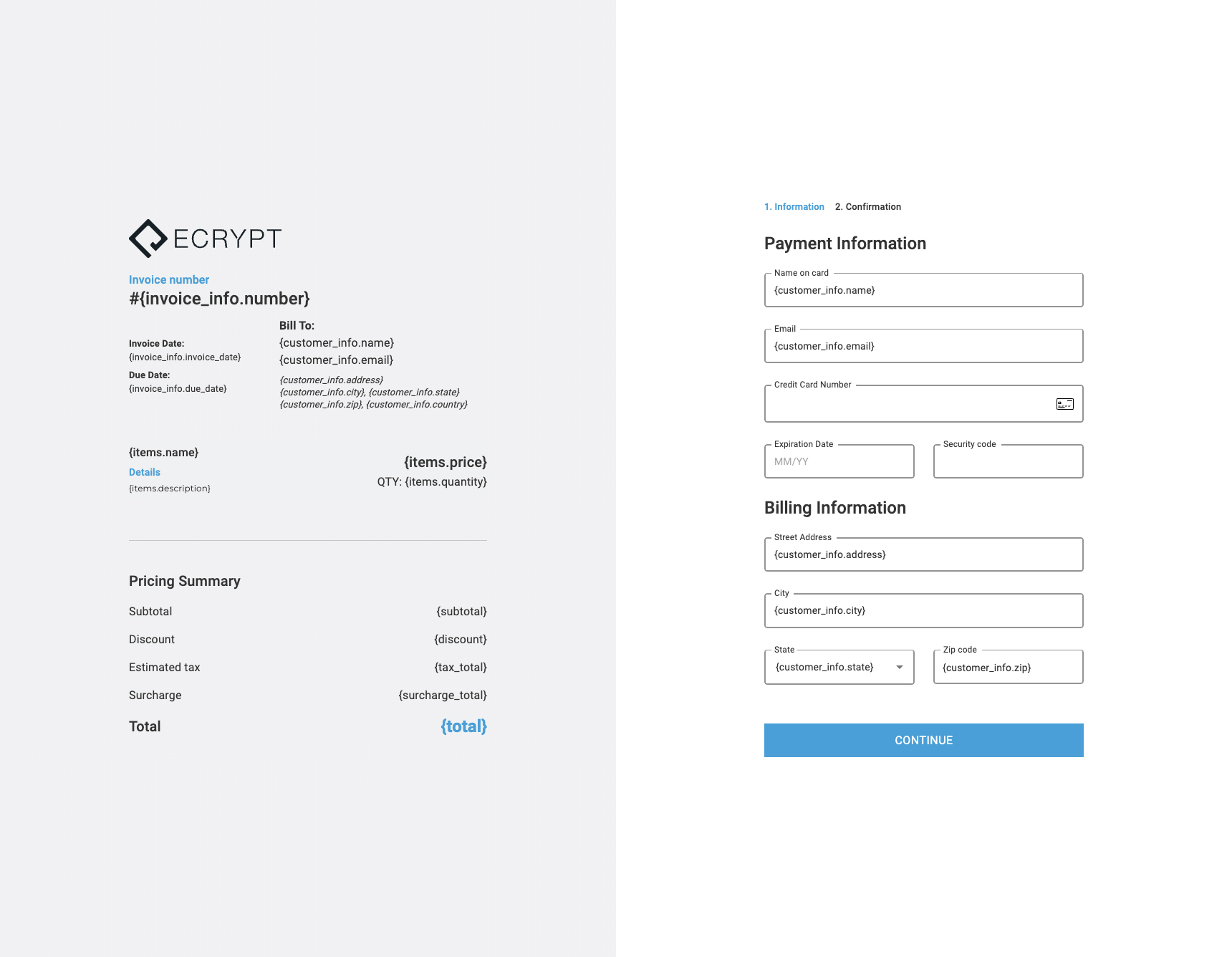
Example picture showing where all keys are placed:
***
## Appearance
The Appearance object includes various properties that define the appearance of the invoice and form. Each property is optional and should be a string representing a color code or a theme.
Supported formats for color codes:
* Hexadecimal Format: `#000000`
* RGB Format: `rgb(0, 0, 0)`
* RGBA Format: `rgba(0, 0, 0, 1)`
* HSL Format: `hsl(0, 0%, 0%)`
* HSLA Format: `hsla(0, 0%, 0%, 1)`
* Named Colors: `black`
***
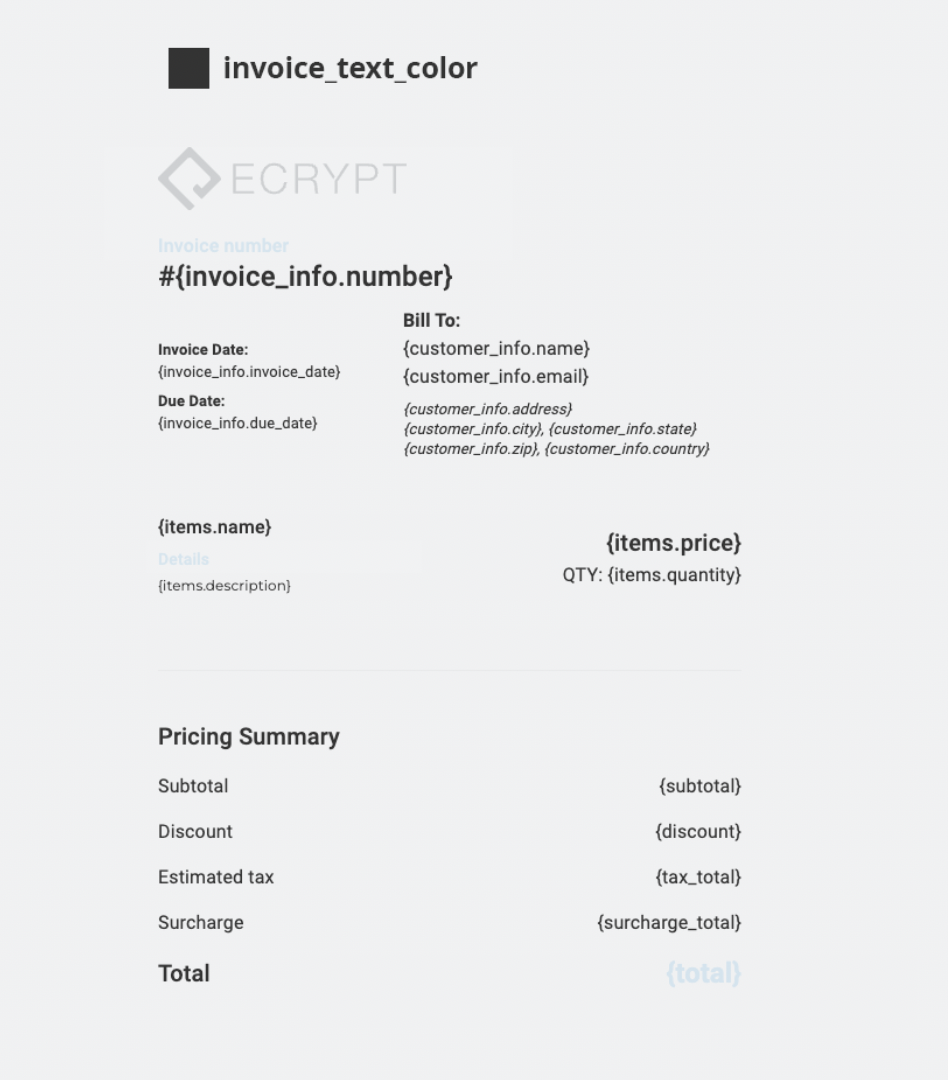
### invoice\_text\_color
`invoice_text_color` (string): The color of the text in the invoice UI.
**Example:**
```json theme={null}
"invoice_text_color": "#000000"
```
***
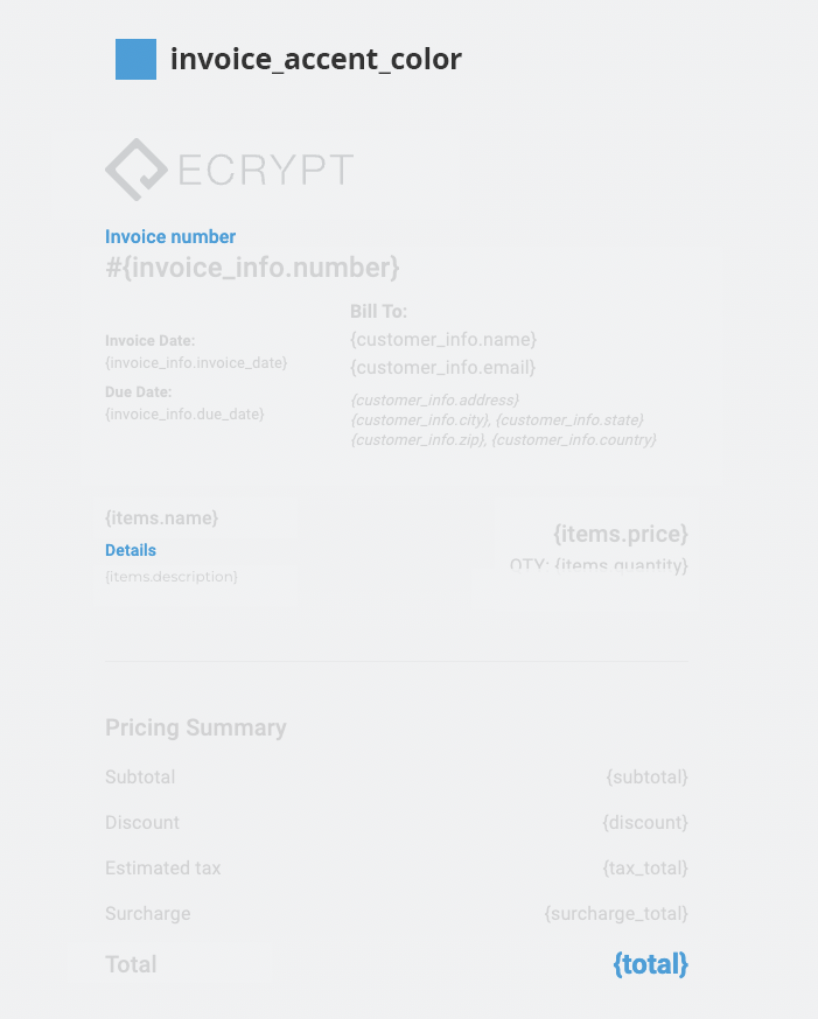
### invoice\_accent\_color
`invoice_accent_color` (string): The accent color in the invoice UI.
**Example:**
```json theme={null}
"invoice_accent_color": "#4B9FD6"
```
***
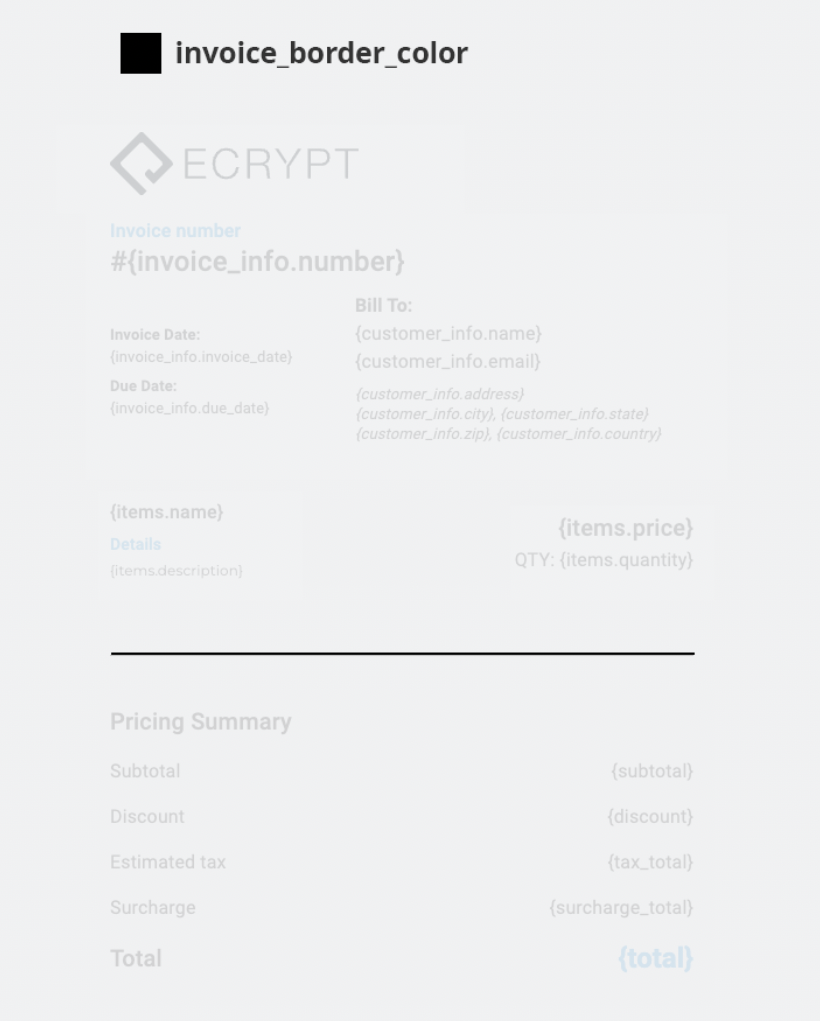
### invoice\_border\_color
`invoice_border_color` (string): The color of the borders in the invoice UI.
**Example:**
```json theme={null}
"invoice_border_color": "#000000"
```
***
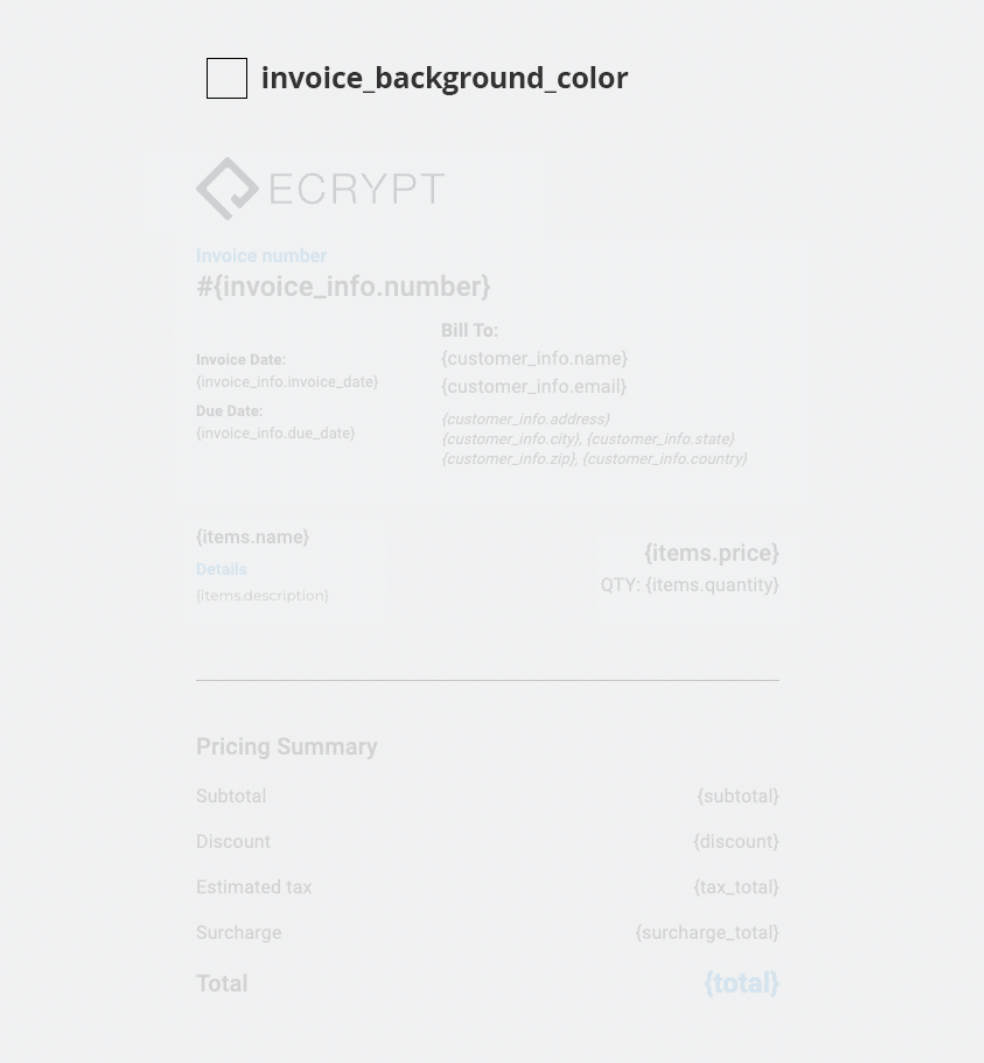
### invoice\_background\_color
`invoice_background_color` (string): The background color of the invoice UI.
**Example:**
```json theme={null}
"invoice_background_color": "#F0F1F2"
```
***
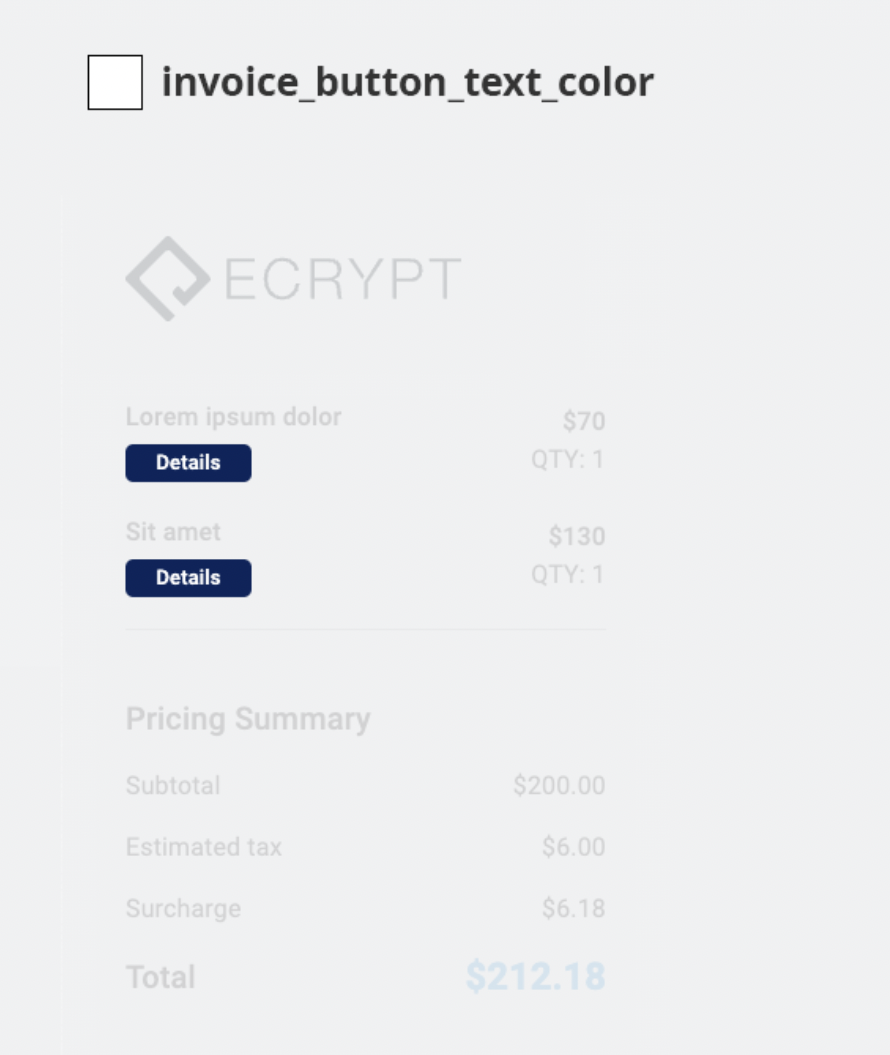
### invoice\_button\_text\_color
`invoice_button_text_color` (string): The color of the text on the invoice button on tablet and mobile view.
**Example:**
```json theme={null}
"invoice_button_text_color": "#ffffff"
```
***
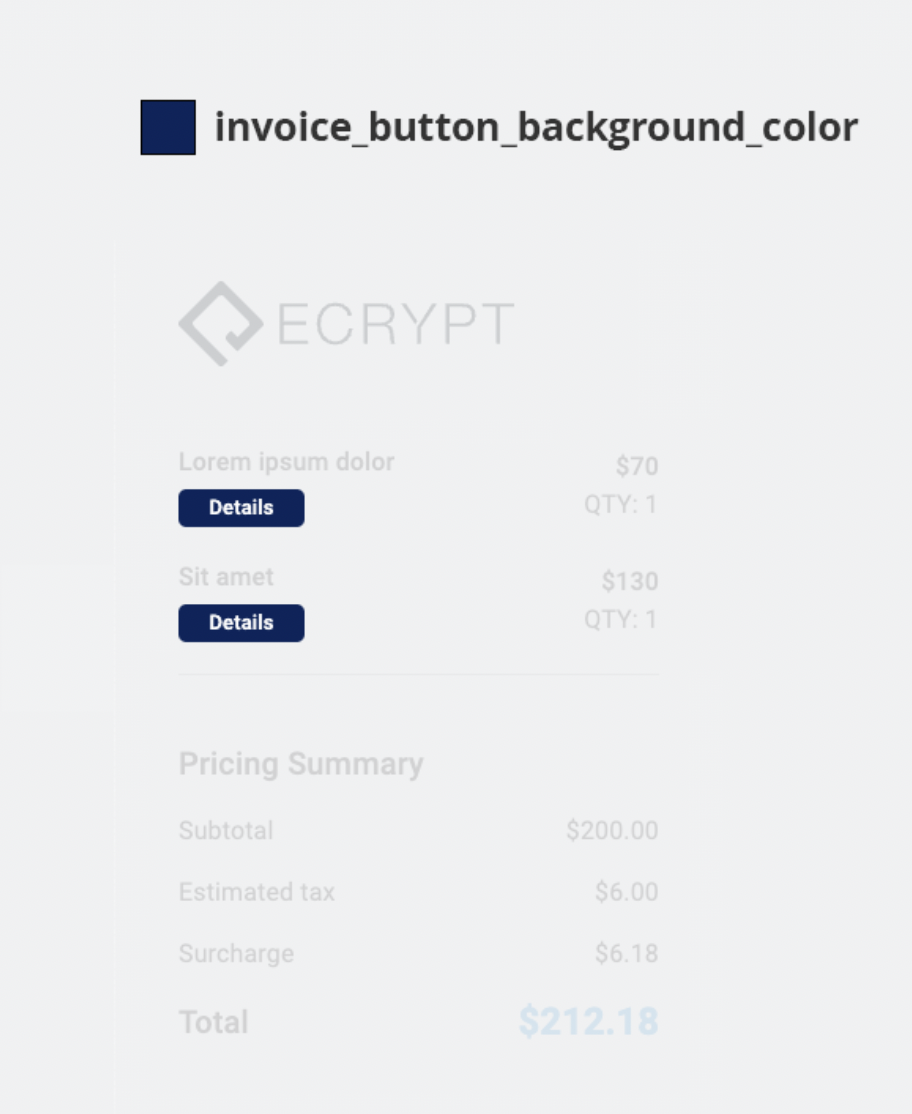
### invoice\_button\_background\_color
`invoice_button_background_color` (string): The background color of the invoice button on tablet and mobile view.
**Example:**
```json theme={null}
"invoice_button_background_color": "#0f2659"
```
***
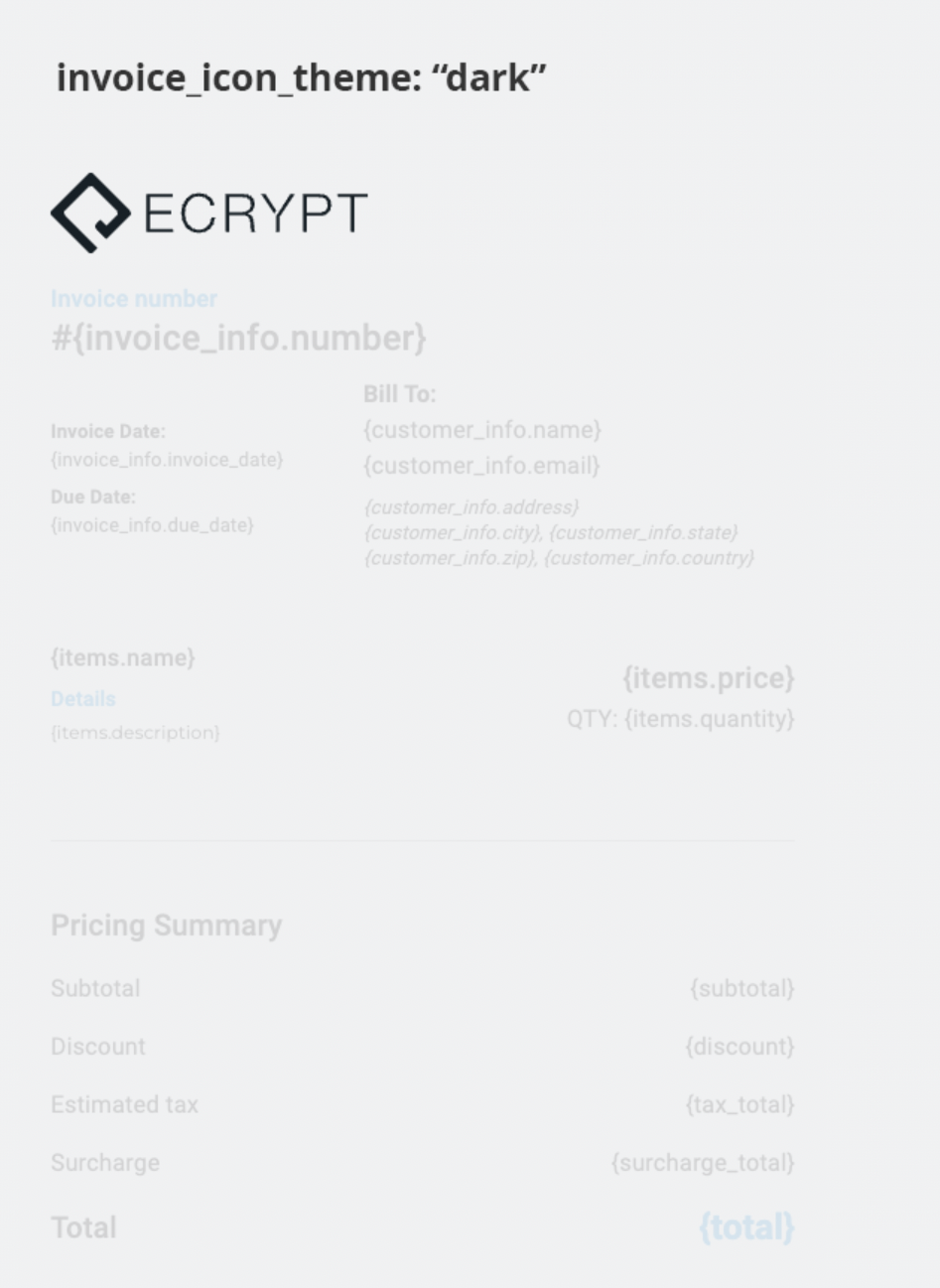
### invoice\_icon\_theme
`invoice_icon_theme` (string): This changes the default ecrypt logo from dark or light.
Only two values are accepted: `dark` or `light`.
**Example:**
```json theme={null}
"invoice_icon_theme": "dark"
```
***
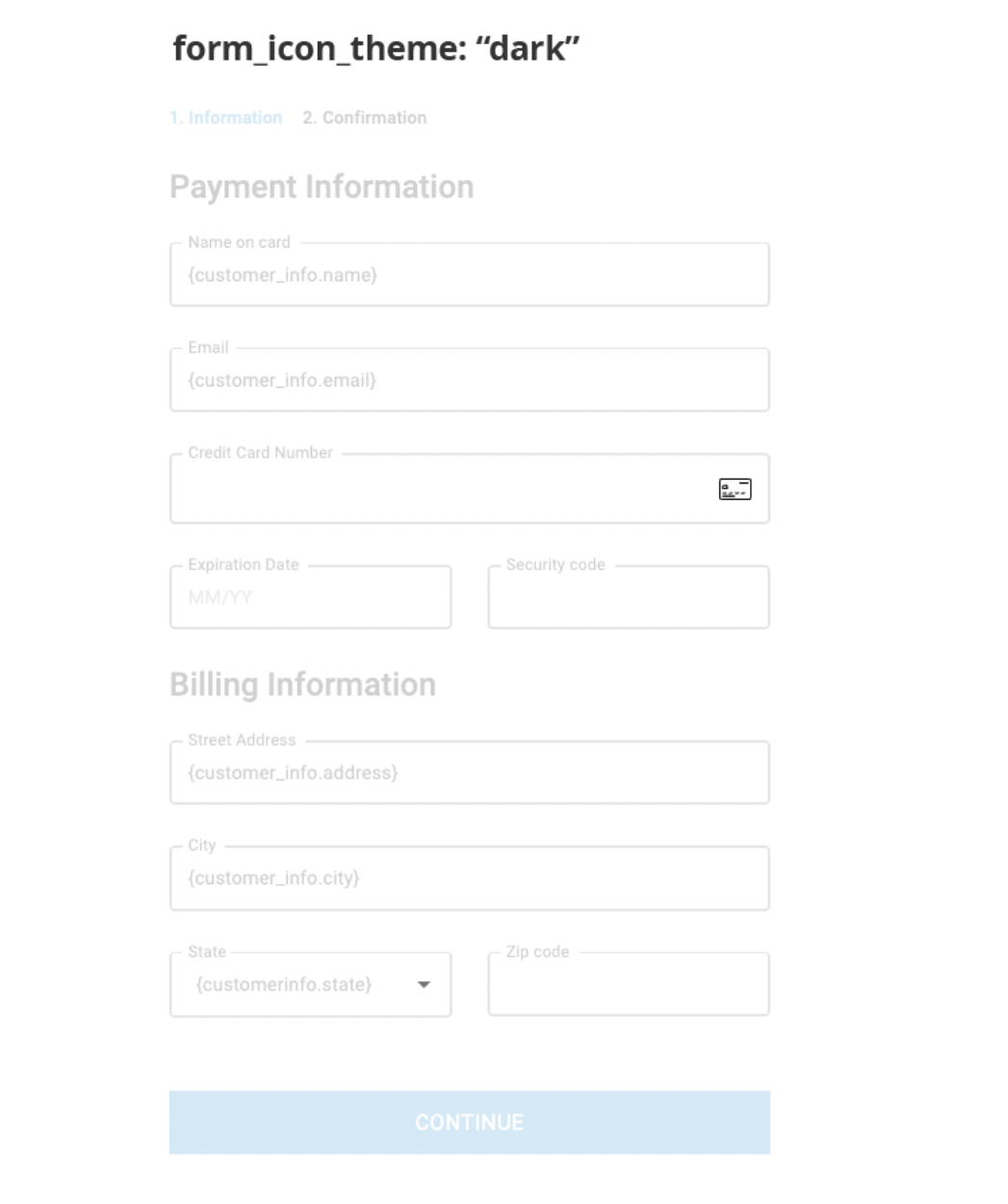
### form\_icon\_theme
`form_icon_theme` (string): Changes the default credit card icon and down arrow icon to dark or light.
Only two values are accepted: `dark` or `light`.
**Example:**
```json theme={null}
"form_icon_theme": "dark"
```
***
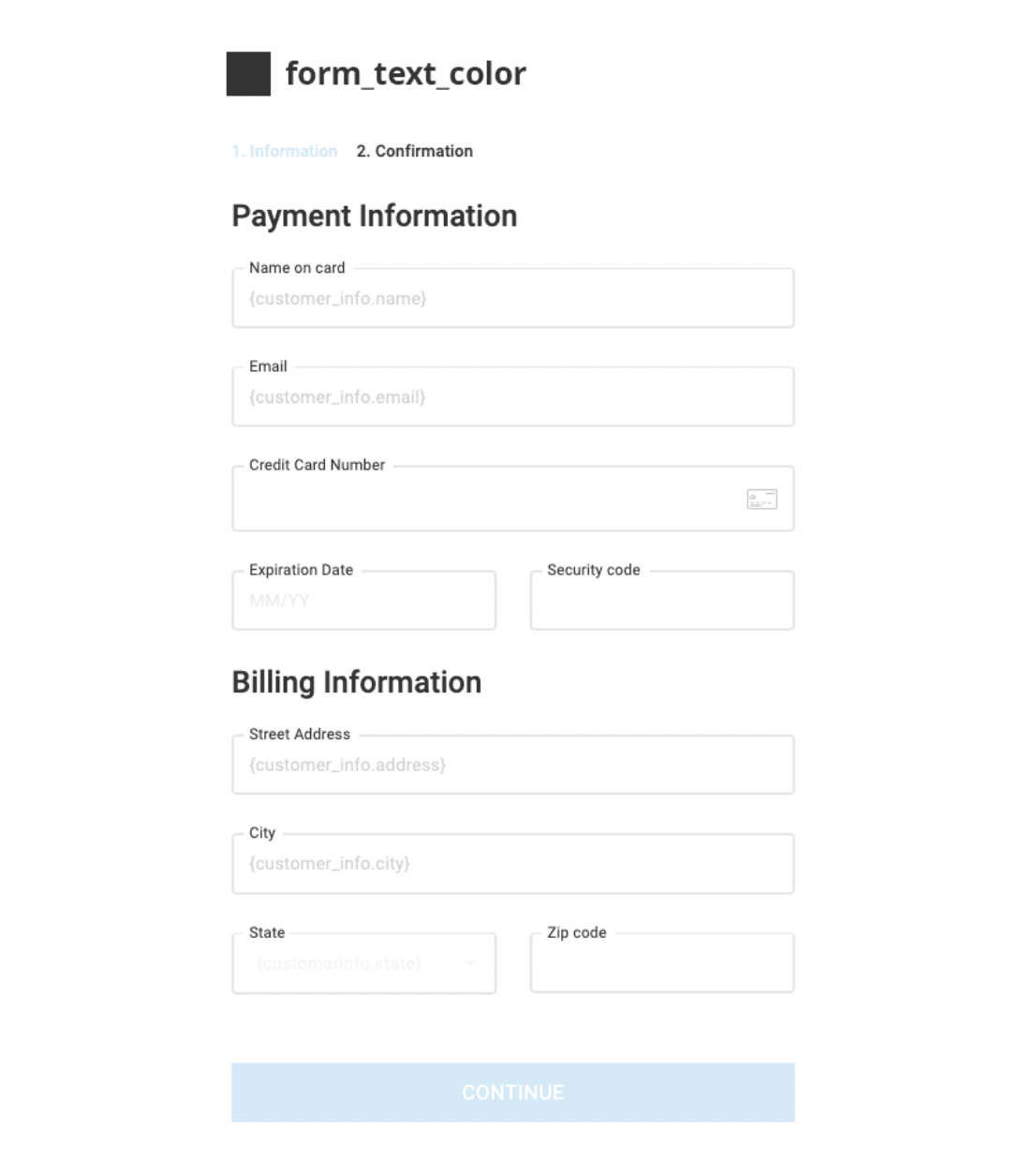
### form\_text\_color
`form_text_color` (string): The color of the text in the form UI.
**Example:**
```json theme={null}
"form_text_color": "#333333"
```
***
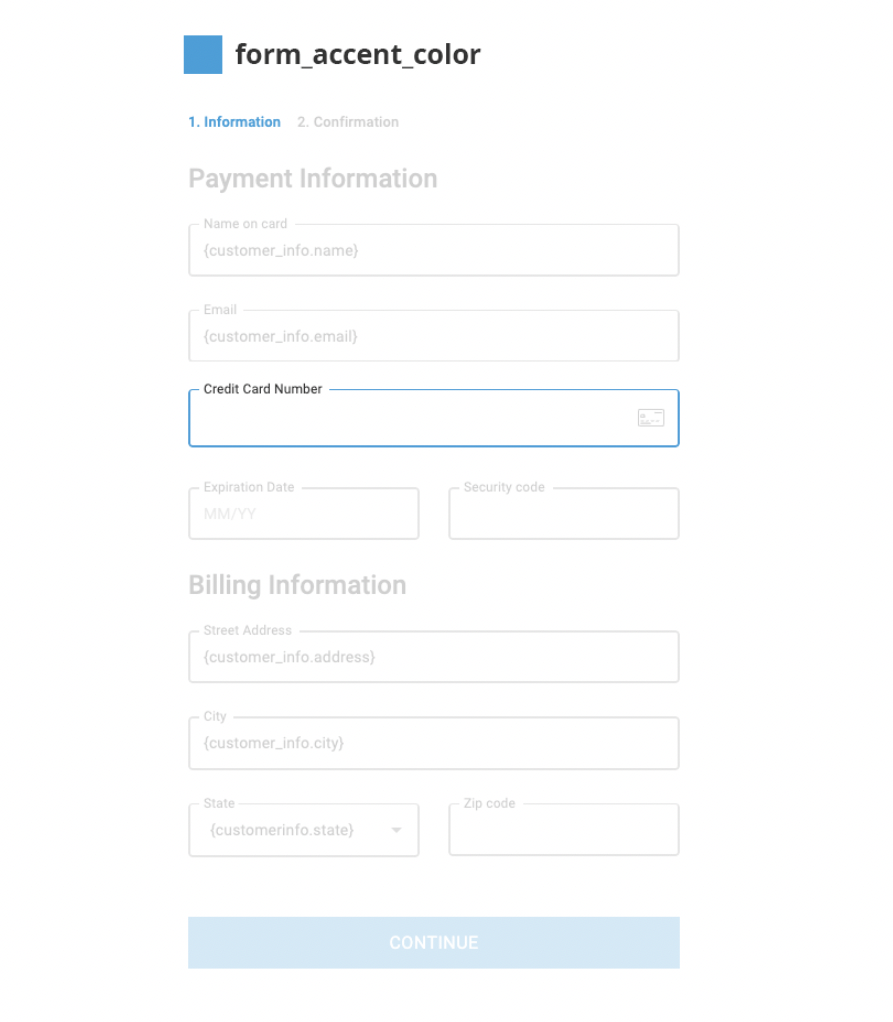
### form\_accent\_color
`form_accent_color` (string): The accent color in the form UI.
**Example:**
```json theme={null}
"form_accent_color": "#4b9fd7"
```
***
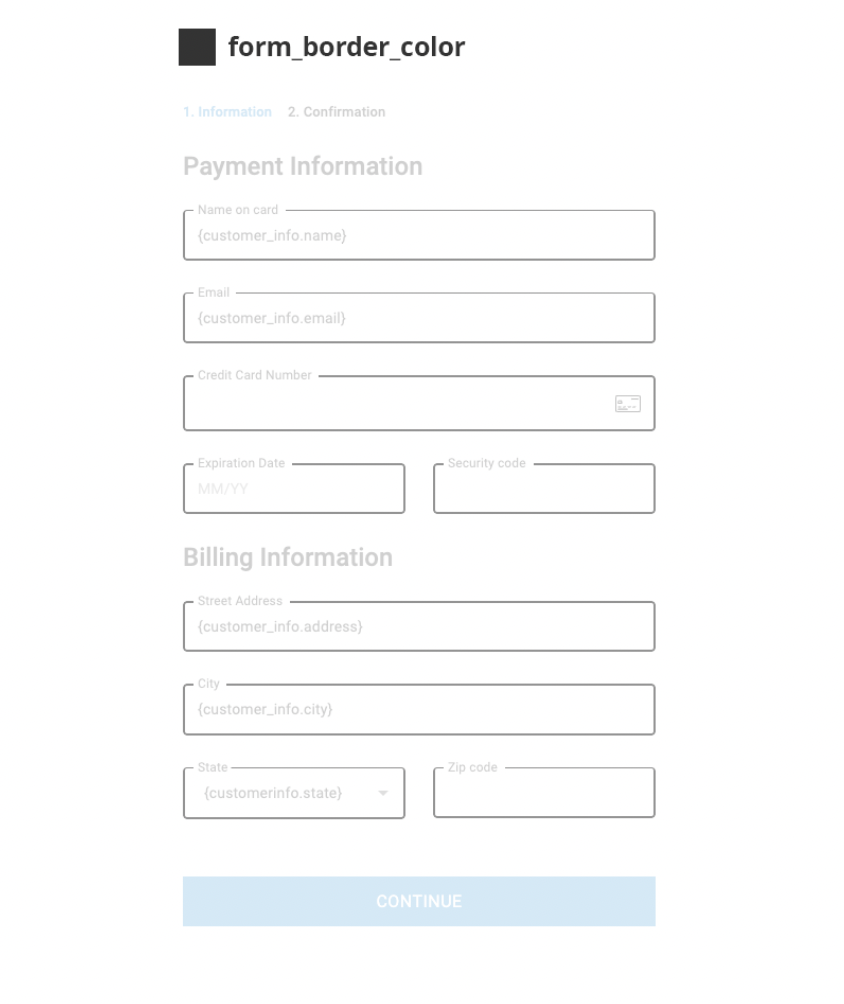
### form\_border\_color
`form_border_color` (string): The color of the borders in the form UI.
**Example:**
```json theme={null}
"form_border_color": "#333333"
```
***
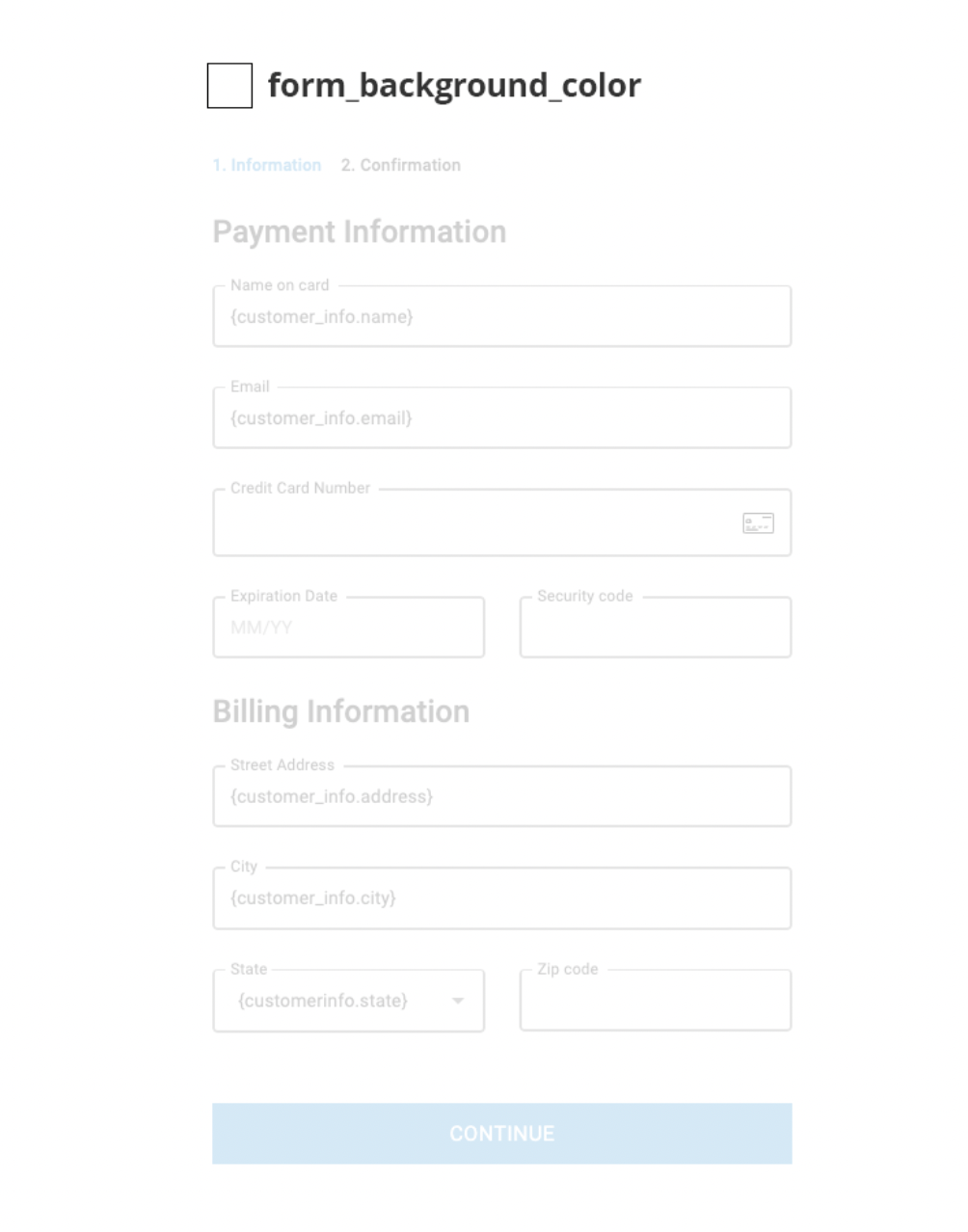
### form\_background\_color
`form_background_color` (string): The background color of the form UI.
**Example:**
```json theme={null}
"form_background_color": "#ffffff"
```
***
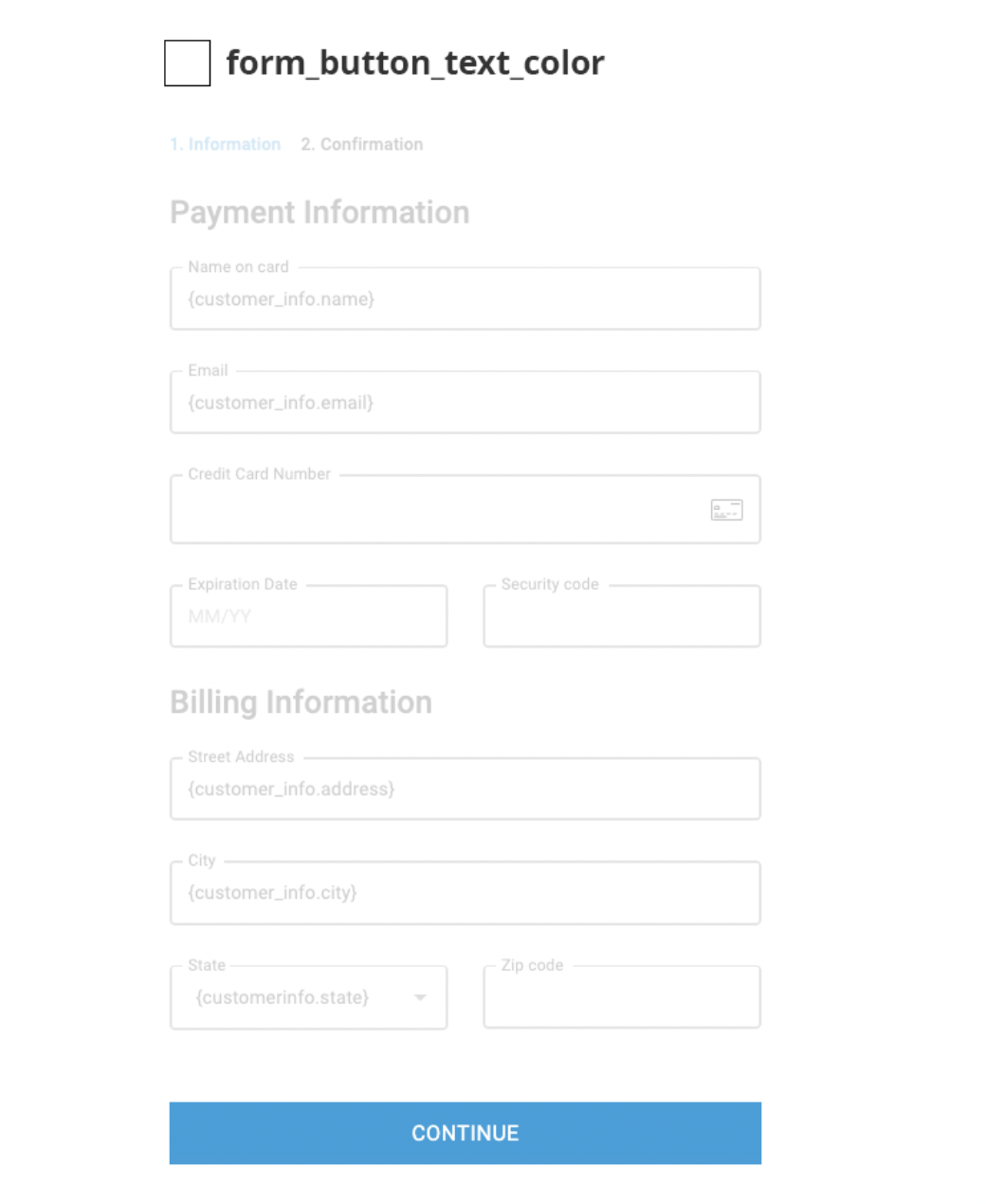
### form\_button\_text\_color
`form_button_text_color` (string): The color of the text on the form button.
**Example:**
```json theme={null}
"form_button_text_color": "#ffffff"
```
***
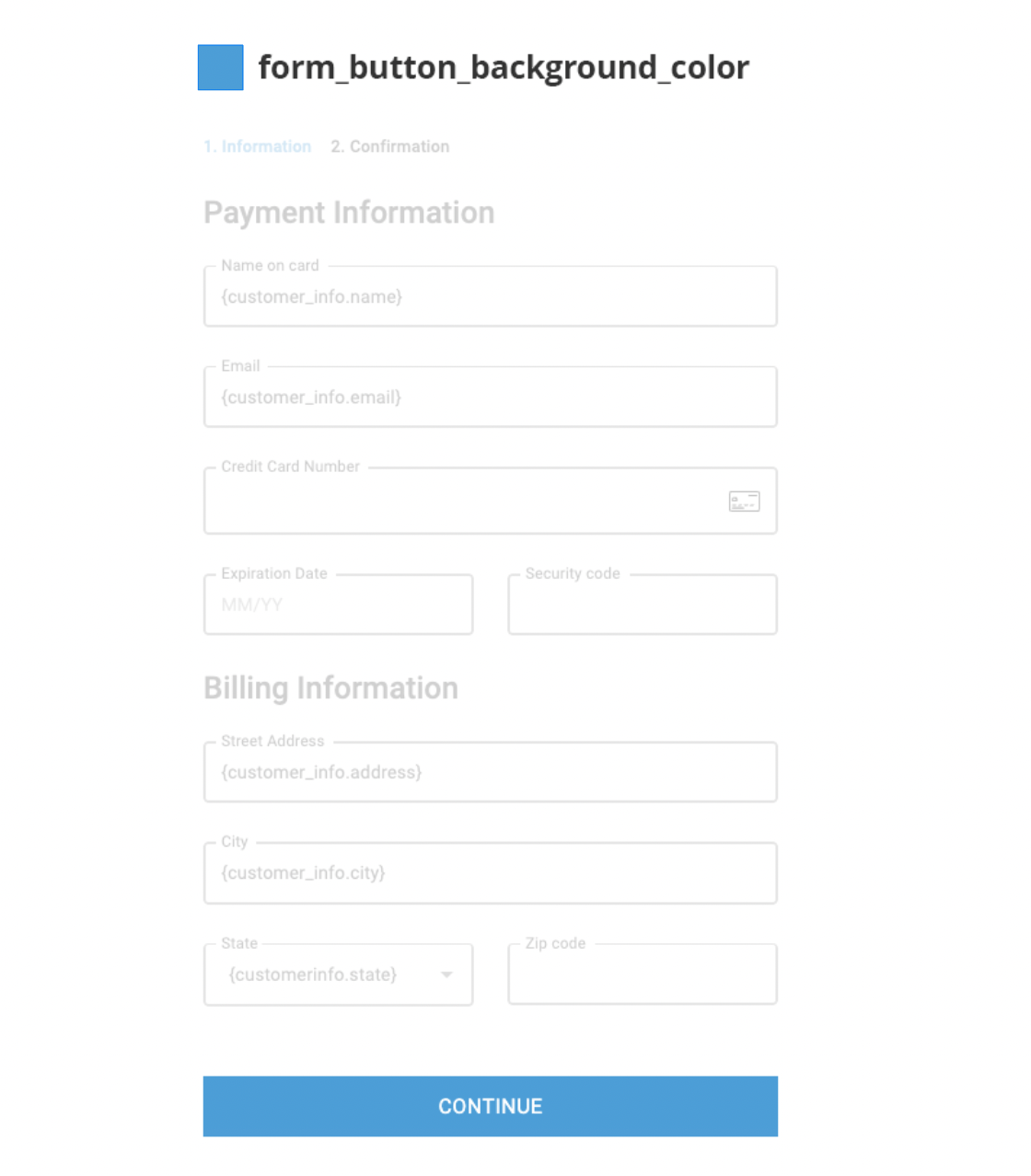
### form\_button\_background\_color
`form_button_background_color` (string): The background color of the form button.
**Example:**
```json theme={null}
"form_button_background_color": "#499fd7"
```
***
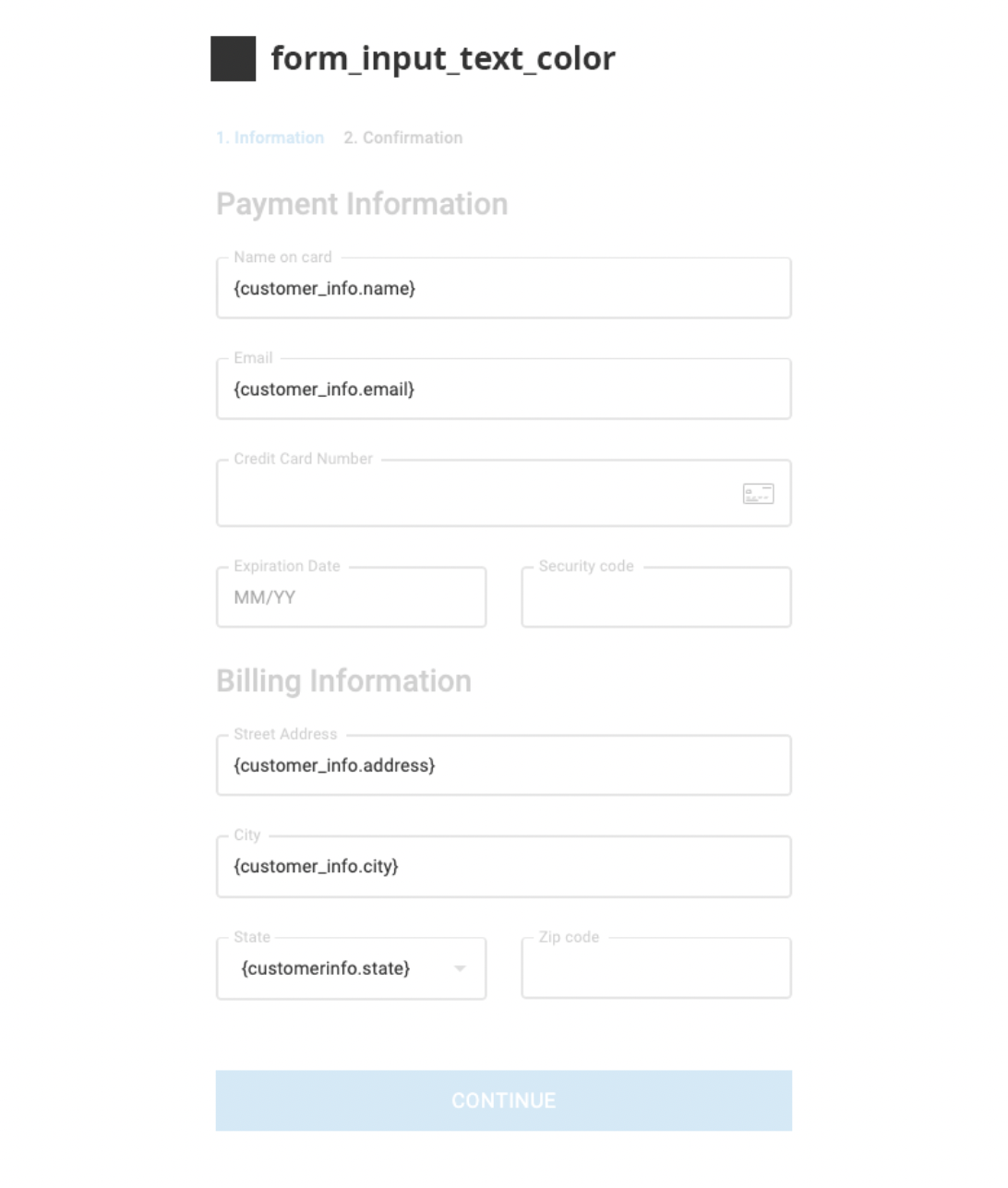
### form\_input\_text\_color
`form_input_text_color` (string): The color of the text in the form input fields.
**Example:**
```json theme={null}
"form_input_text_color": "#333333"
```
***
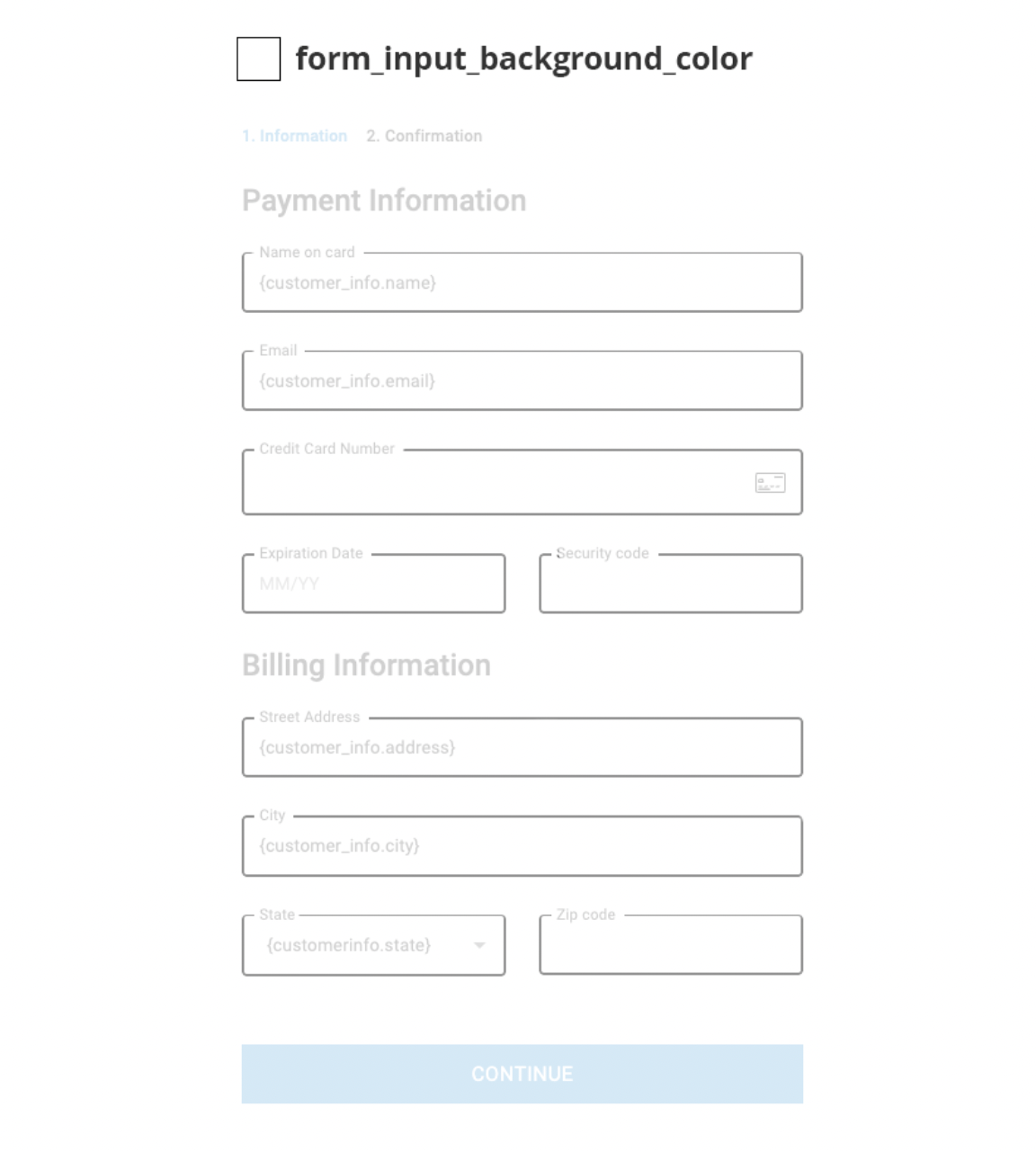
### form\_input\_background\_color
`form_input_background_color` (string): The background color of the form input fields.
**Example:**
```json theme={null}
"form_input_background_color": "#ffffff"
```
***
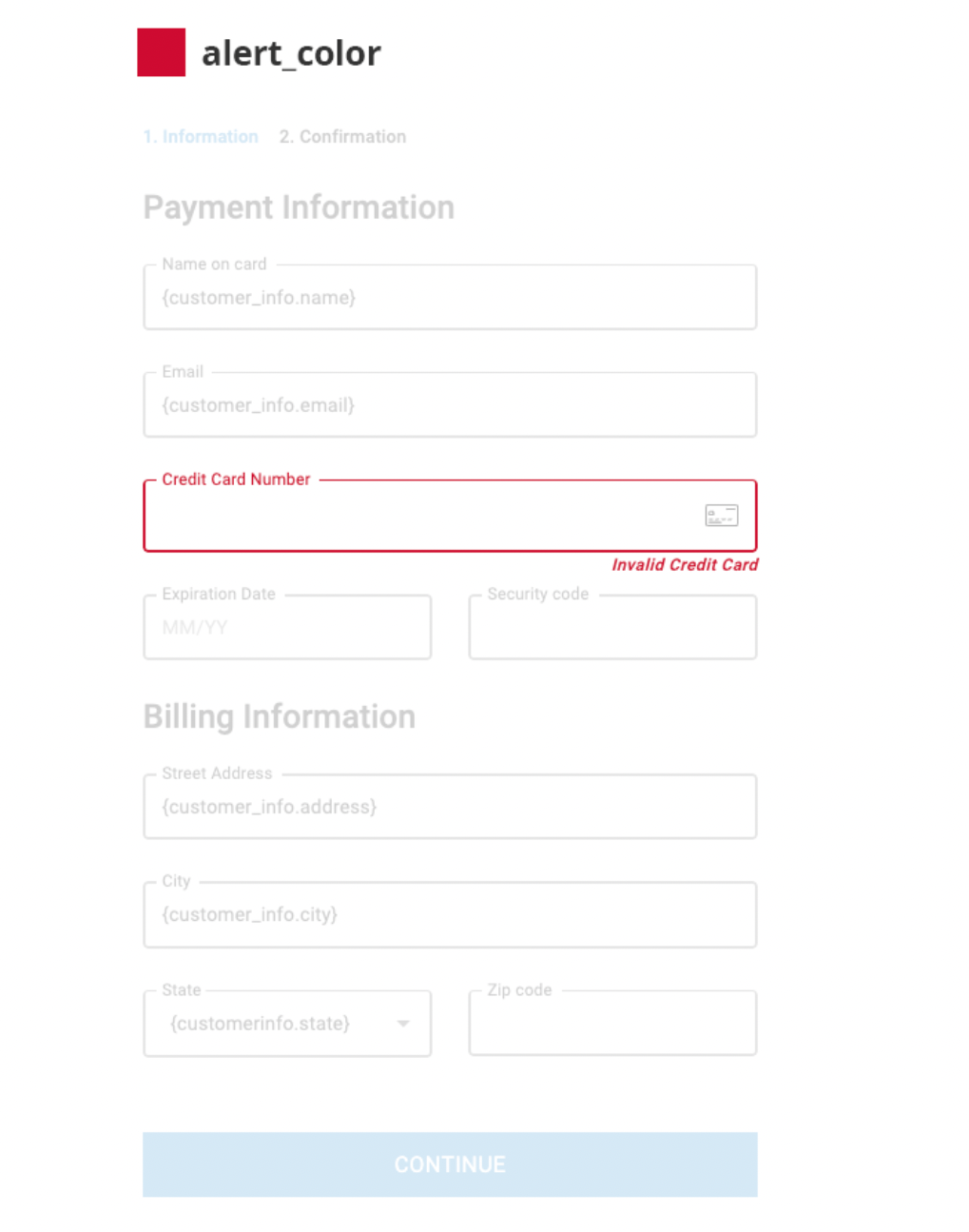
### alert\_color
`alert_color` (string): The color of the alert message.
**Example:**
```json theme={null}
"alert_color": "#d12230"
```
***
### input\_variant
`input_variant` (string): The variant of the input field.
Only accepted values: `outlined`, `filled`, or `standard`.
**Example:**
```json theme={null}
"input_variant": "outlined"
```

***
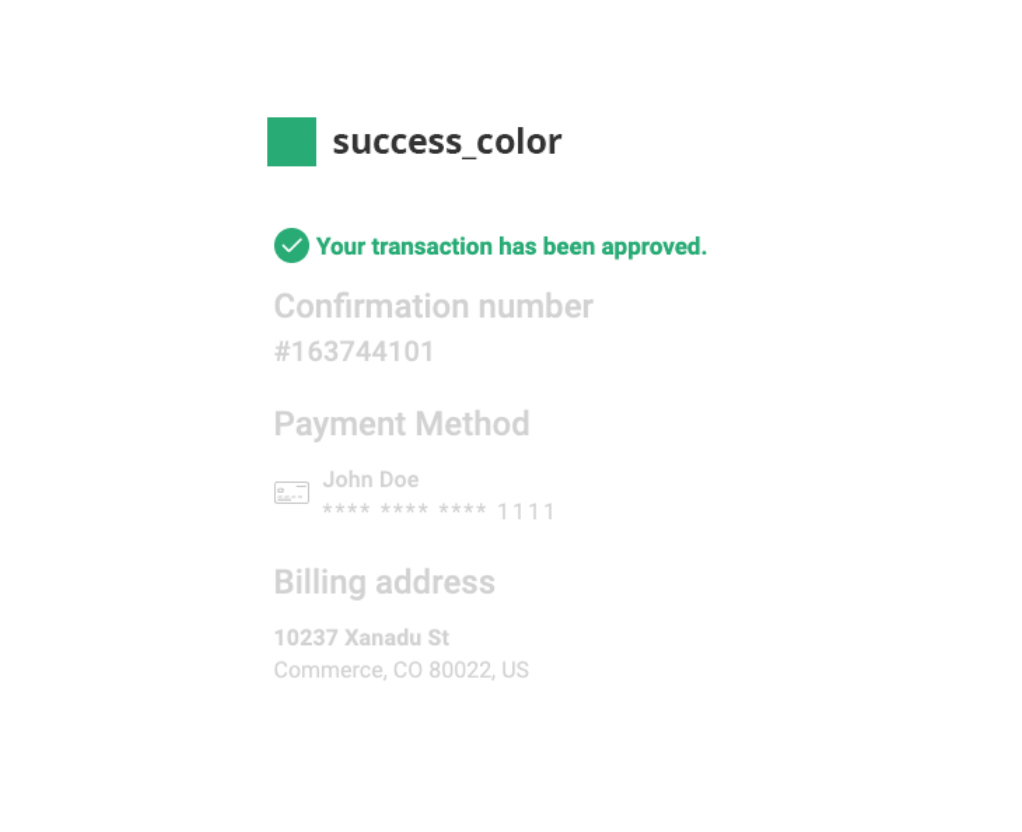
### success\_color
`success_color` (string): The color of the success message in the order confirmation.
**Example:**
```json theme={null}
"success_color": "#28ab75"
```
***
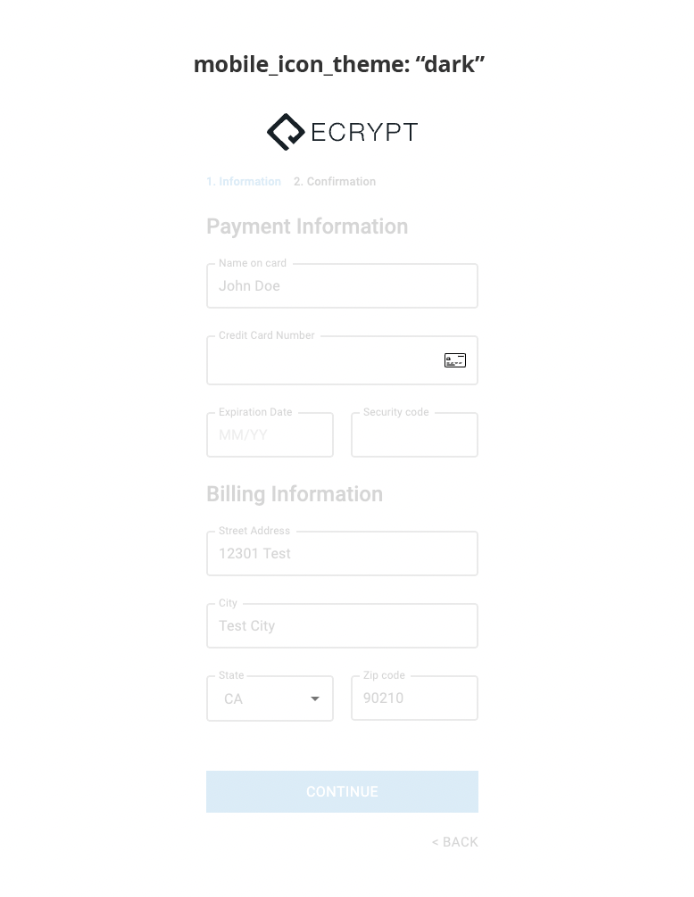
### mobile\_icon\_theme
`mobile_icon_theme` (string): The theme of the icons used in the mobile UI.
Only two values are accepted: `dark` or `light`.
**Example:**
```json theme={null}
"mobile_icon_theme": "dark"
```
***
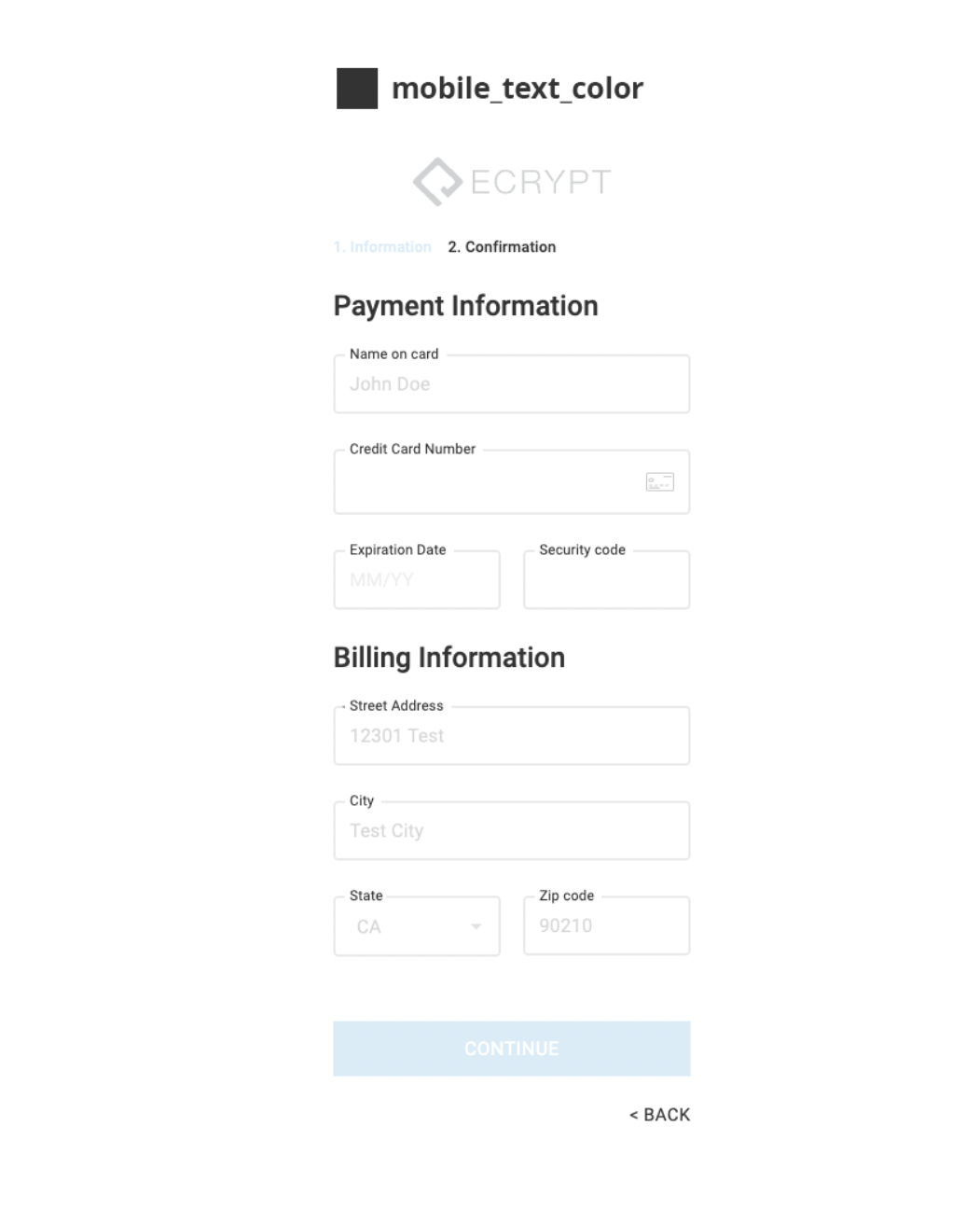
### mobile\_text\_color
`mobile_text_color` (string): The color of the text in the mobile UI.
**Example:**
```json theme={null}
"mobile_text_color": "#333333"
```
***
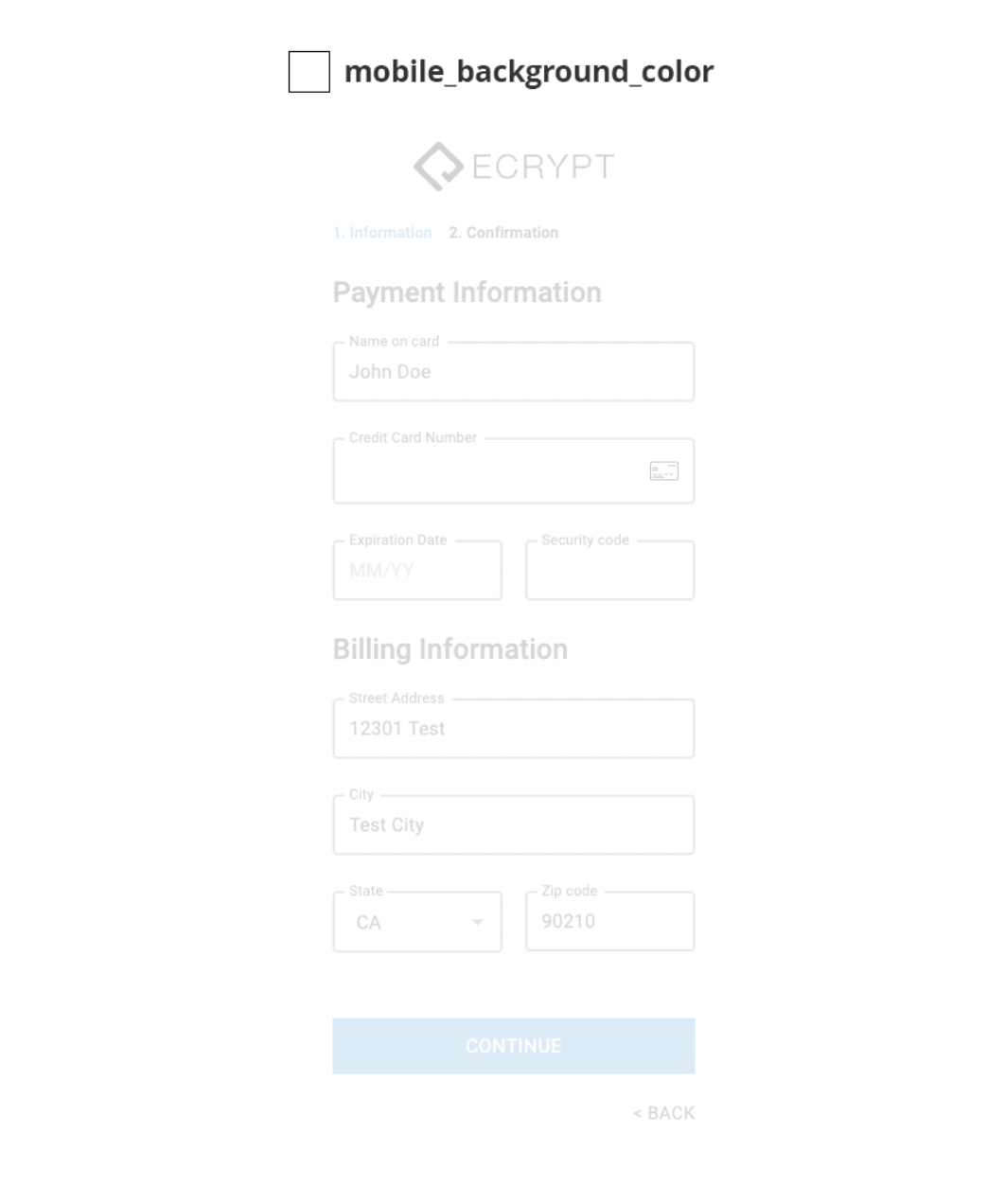
### mobile\_background\_color
`mobile_background_color` (string): The background color of the mobile UI.
**Example:**
```json theme={null}
"mobile_background_color": "#ffffff"
```
***
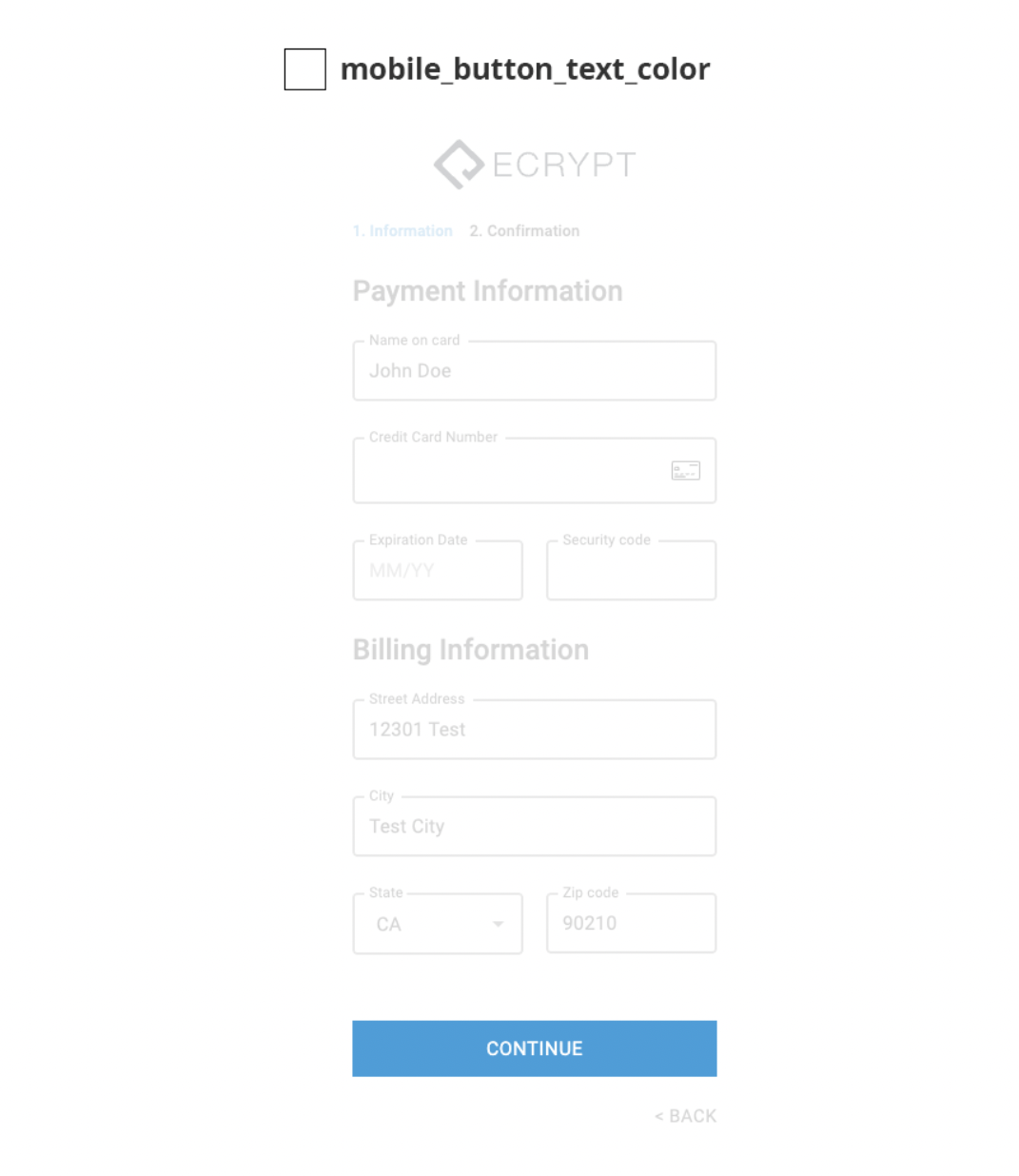
### mobile\_button\_text\_color
`mobile_button_text_color` (string): The color of the text on the mobile button.
**Example:**
```json theme={null}
"mobile_button_text_color": "#ffffff"
```
***
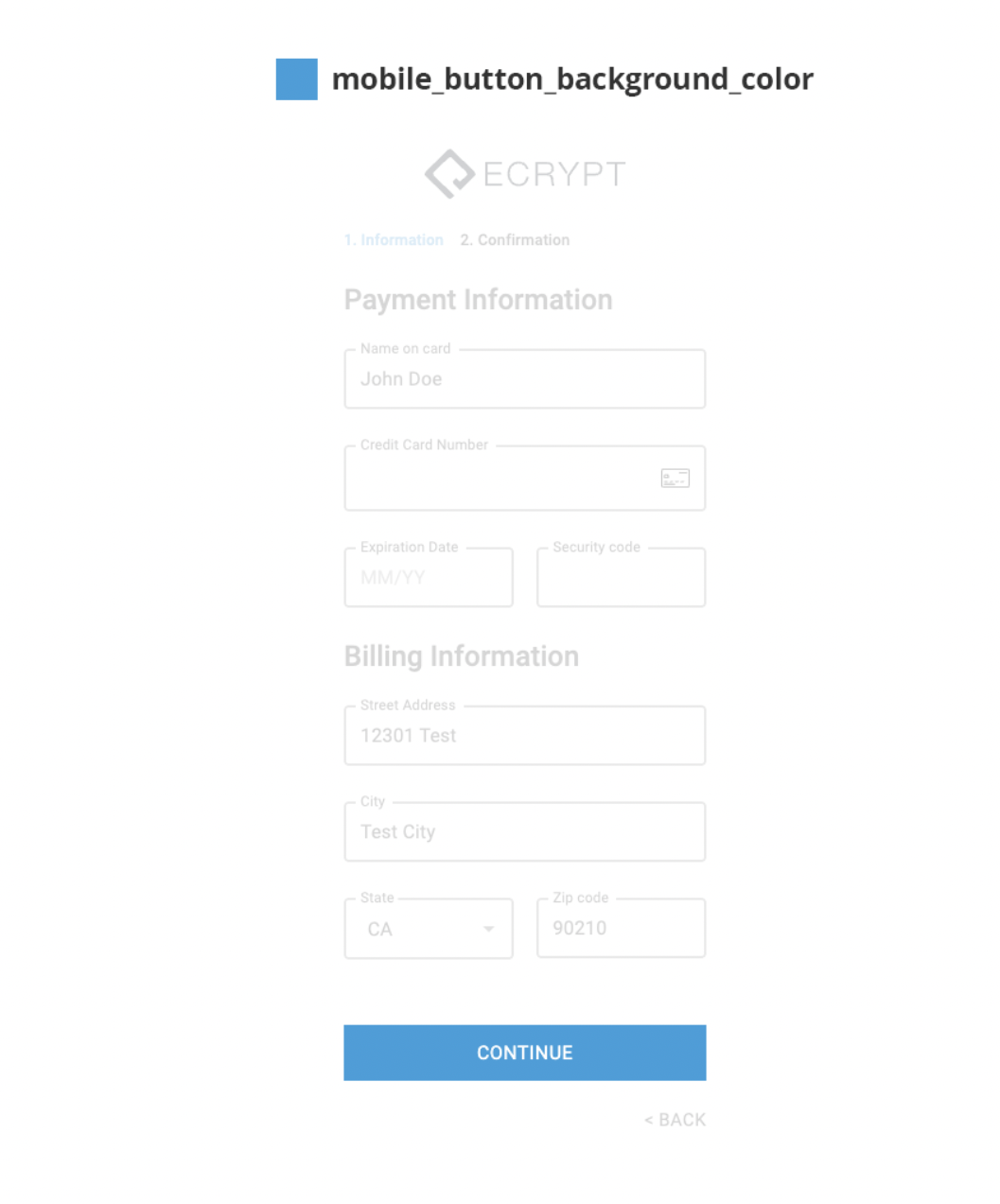
### mobile\_button\_background\_color
`mobile_button_background_color` (string): The background color of the mobile button.
**Example:**
```json theme={null}
"mobile_button_background_color": "#4d9ed7"
```
***
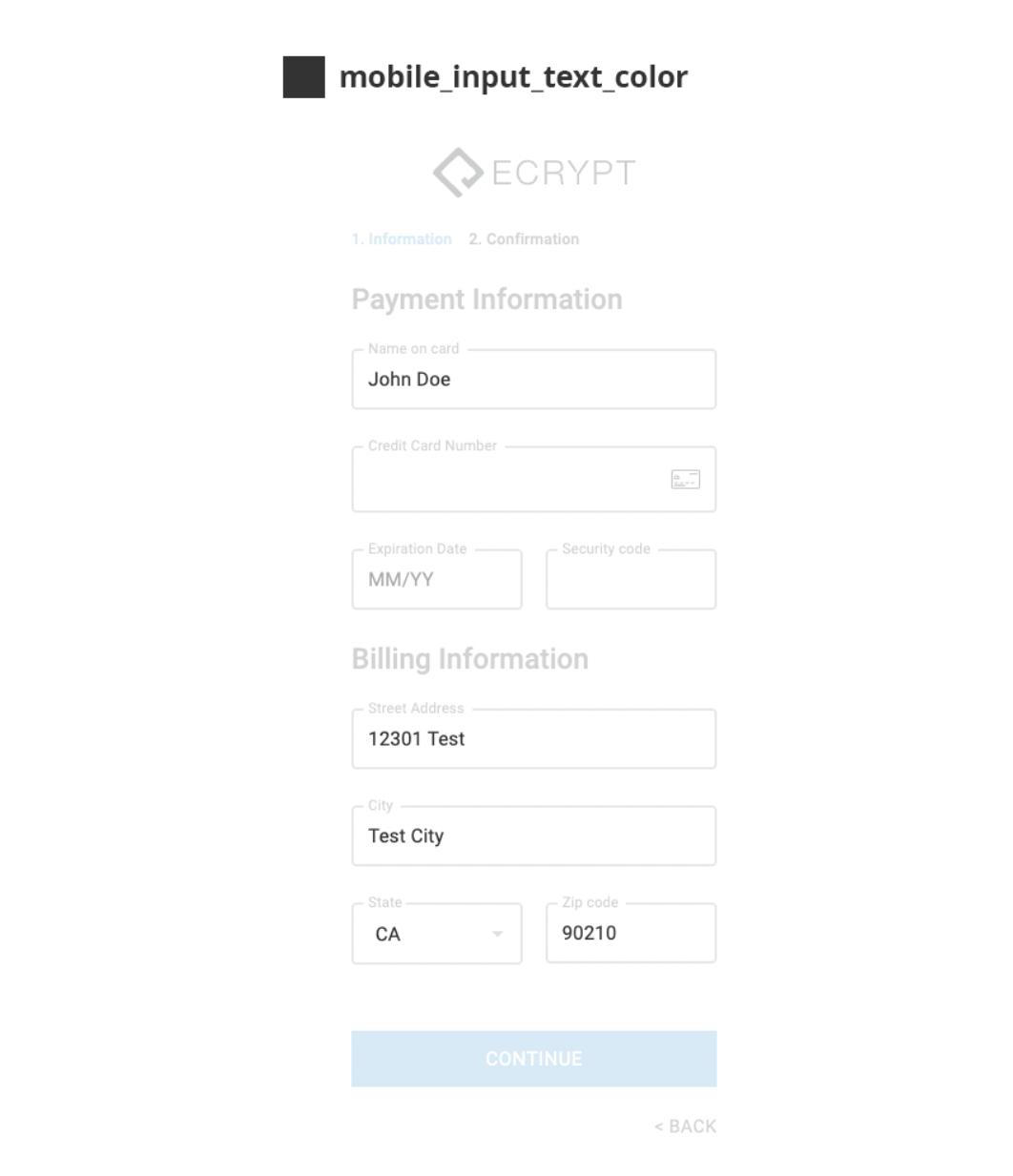
### mobile\_input\_text\_color
`mobile_input_text_color` (string): The color of the text in the mobile input fields.
**Example:**
```json theme={null}
"mobile_input_text_color": "#333333"
```
***
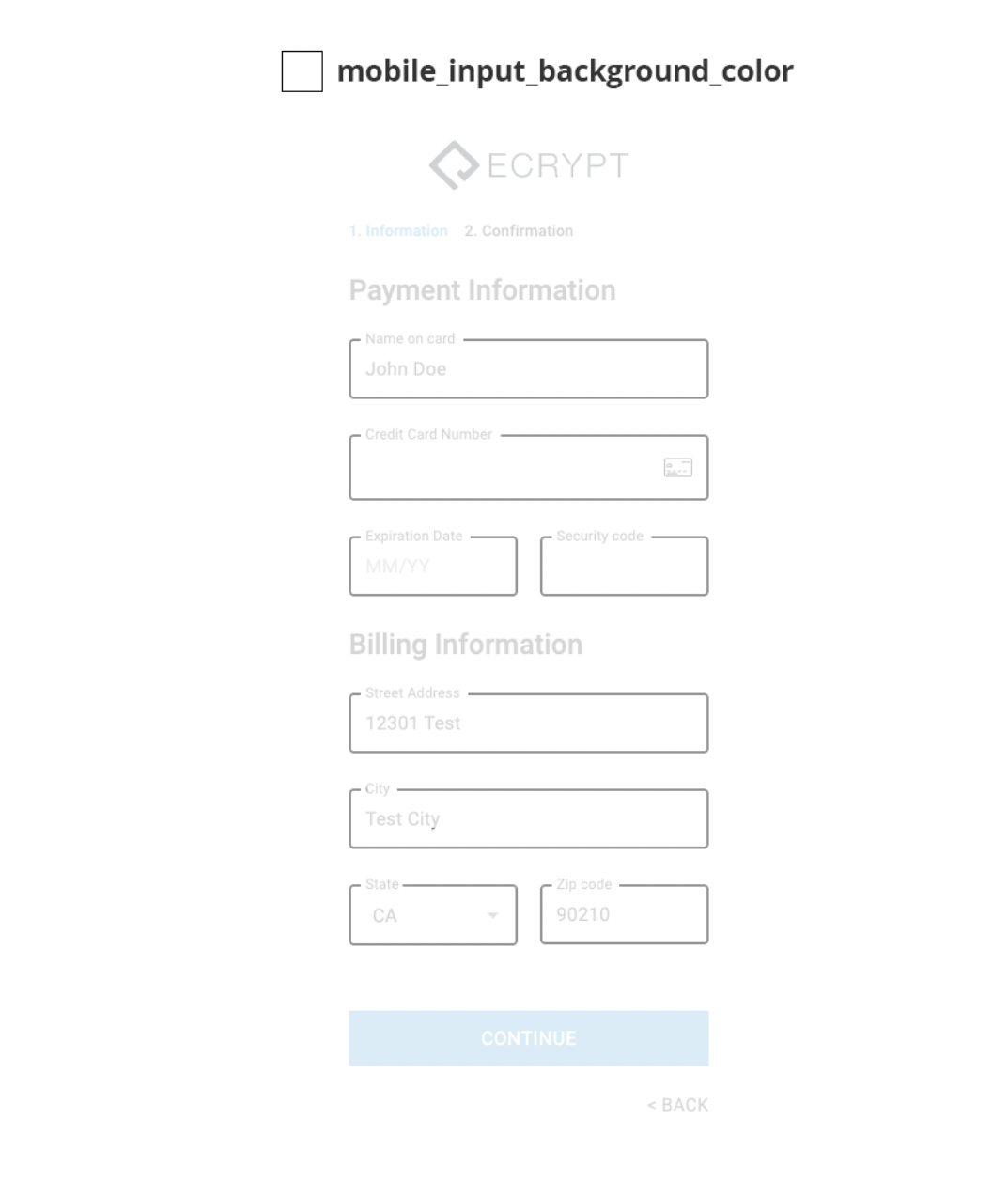
### mobile\_input\_background\_color
`mobile_input_background_color` (string): The background color of the mobile input fields.
**Example:**
```json theme={null}
"mobile_input_background_color": "#ffffff"
```
***
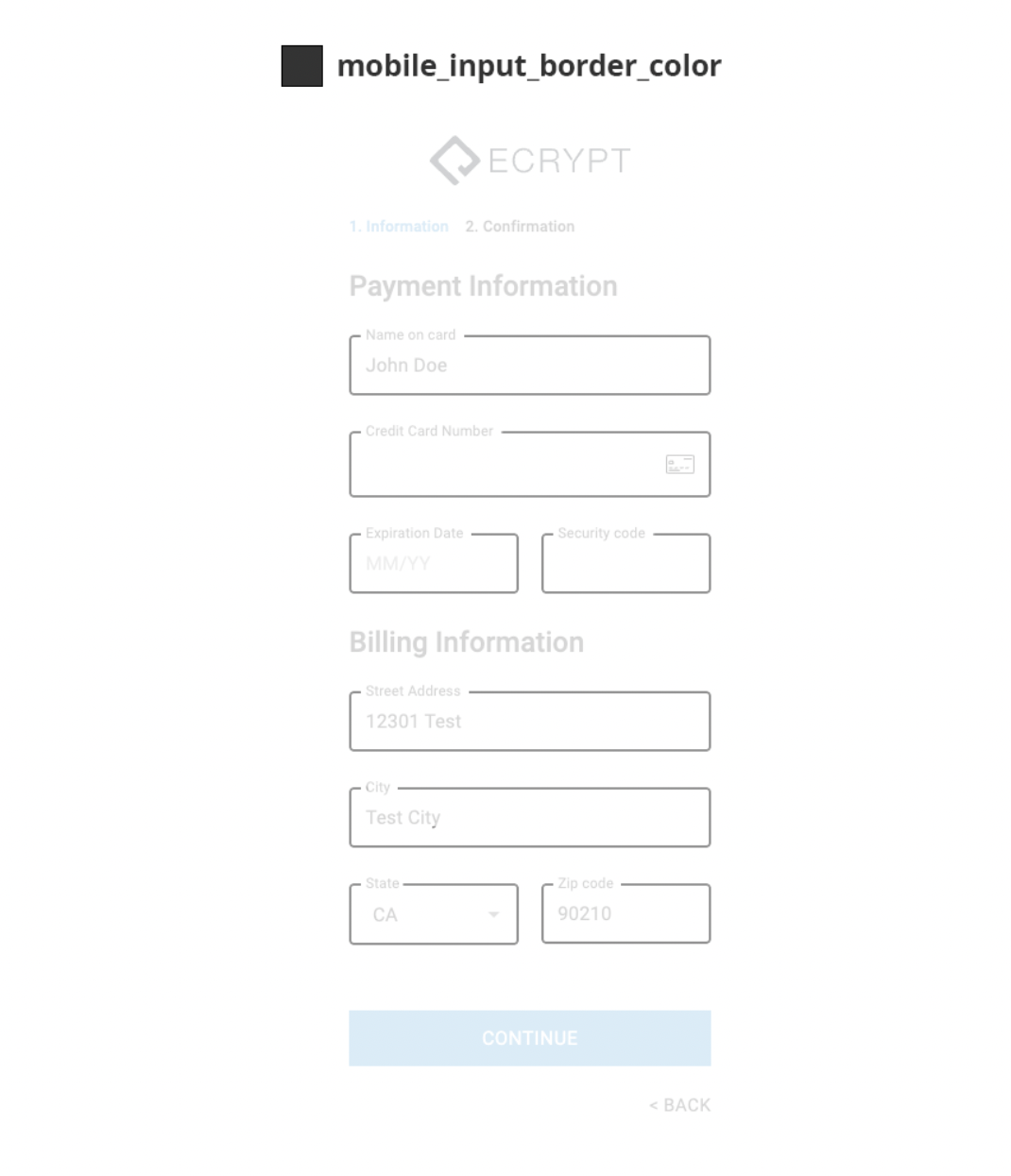
### mobile\_input\_border\_color
`mobile_input_border_color` (string): The color of the border in the mobile input fields.
**Example:**
```json theme={null}
"mobile_input_border_color": "#333333"
```
***
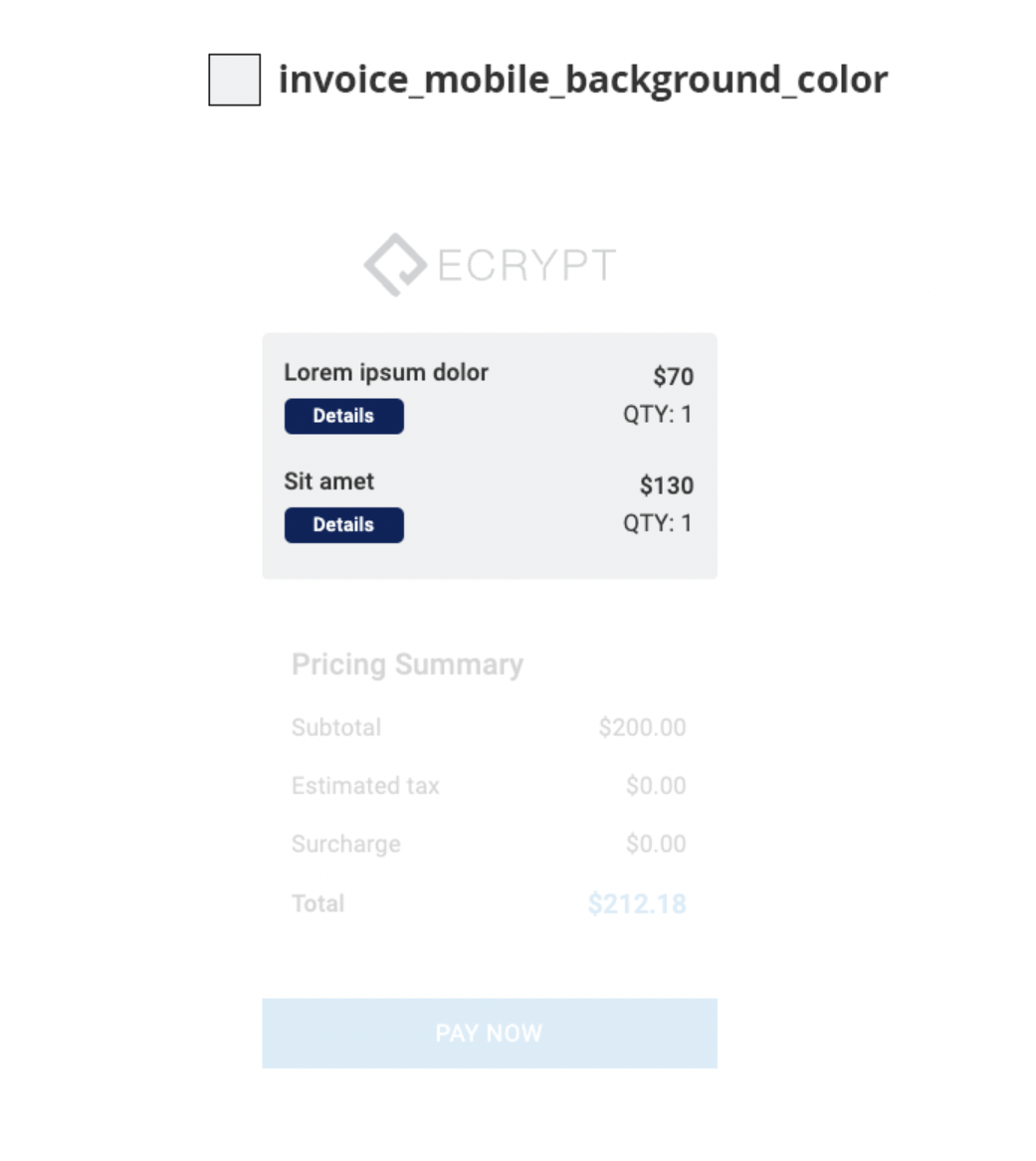
### invoice\_mobile\_background\_color
`invoice_mobile_background_color` (string): The background color of the invoice in the mobile UI.
**Example:**
```json theme={null}
"invoice_mobile_background_color": "#f0f1f2"
```
***
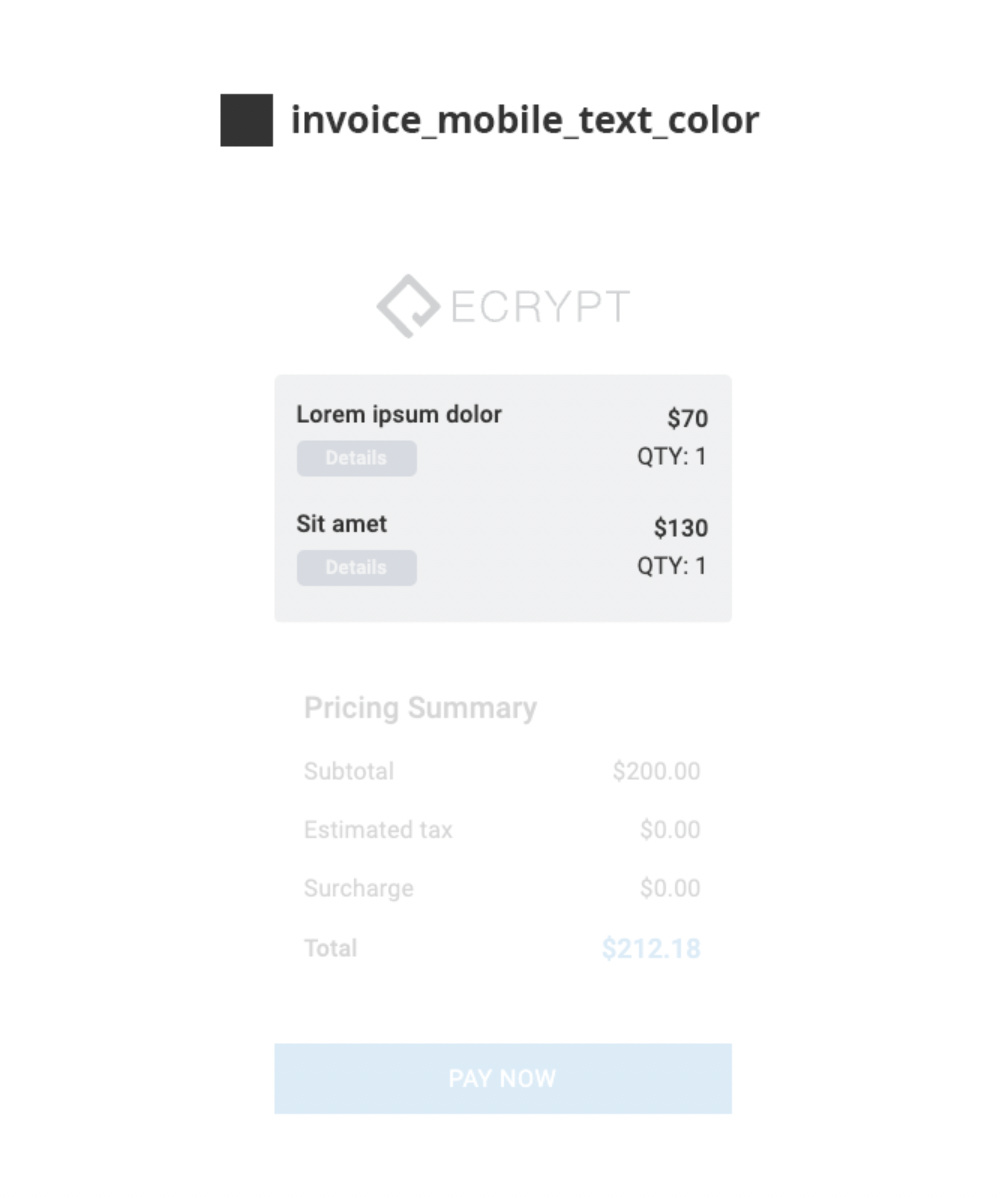
### invoice\_mobile\_text\_color
`invoice_mobile_text_color` (string): The color of the text in the invoice in the mobile UI.
**Example:**
```json theme={null}
"invoice_mobile_text_color": "#333333"
```
***
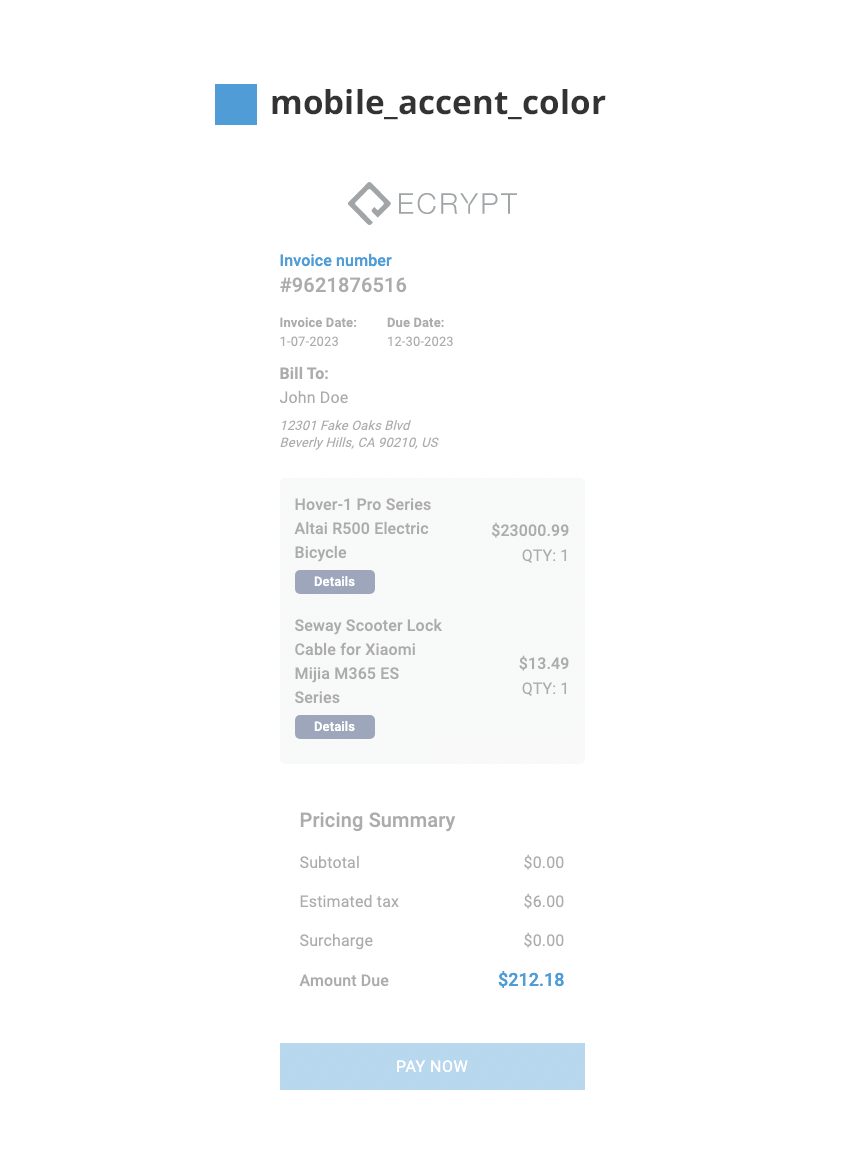
### mobile\_accent\_color
`mobile_accent_color` (string): The accent color in the mobile UI.
**Example:**
```json theme={null}
"mobile_accent_color": "#4d9ed7"
```
# Parent `postMessage` Events
The dynamic checkout iframe sends events to its embedding parent window via `window.parent.postMessage(...)`.
Every message has:
* `type` — event name (string)
* `timestamp` — `Date.now()` (number, ms since epoch)
* Plus event-specific fields described below
> **Security:** messages are sent with target `"*"`. The parent **must** verify `event.origin` against the iframe's known origin before trusting any payload.
>
> `event.origin` will be the iframe's origin (the sender), **not** the parent's own. Use the domain you set in the iframe's `src` attribute: `https://shop.ecrypt.com`.
>
> The examples below show this pattern.
***
## Event reference
### 1. `page_ready`
Fires when the iframe page loads successfully (after the React app mounts).
**Payload:**
```js theme={null}
{
type: "page_ready",
timestamp: 1746500000000
}
```
***
### 2. `payment_approved`
Fires when the payment was successfully processed by the gateway.
**Payload:**
```js theme={null}
{
type: "payment_approved",
timestamp: 1746500000000,
transactionId: "abc123xyz", // gateway transaction ID
amount: 49.99 // amount charged (USD)
}
```
***
### 3. `payment_declined`
Fires when the gateway accepted the request but **declined** the payment (e.g. insufficient funds, CVV mismatch, fraud rules). API call succeeded, the gateway said "no".
**Payload:**
```js theme={null}
{
type: "payment_declined",
timestamp: 1746500000000,
transactionId: "abc123xyz", // may be empty if the gateway didn't return one
reason: "Insufficient funds" // gateway-provided message, or generic fallback
}
```
***
### 4. `payment_error`
Fires when the payment **API call itself failed** — not a decline. Examples: `404`, `500`, network timeout, encryption failure before the request was sent.
Different from `payment_declined`: here we never got a clean answer from the gateway.
**Payload:**
```js theme={null}
{
type: "payment_error",
timestamp: 1746500000000,
reason: "Network Error", // exception message or generic fallback
status: 500 // HTTP status if available, otherwise null
}
```
***
### 5. `page_error`
Fires when the iframe page fails to load or render. Covers three categories:
* **Initial load failure** — the server-side render couldn't satisfy the page:
* `reason: "MISSING-ID"` — the `id` query param was missing from the iframe URL
* `reason: "NO-DATA"` — the API call to fetch checkout appearance/config returned no data for the supplied `id`
* **React rendering crash** — caught by the page's `ErrorBoundary` (e.g. an undefined state, bad API shape during render)
* **Unhandled runtime error** — fired from `window.onerror` or an `unhandledrejection`
**Payload:**
```js theme={null}
{
type: "page_error",
timestamp: 1746500000000,
reason: "MISSING-ID"
// or "NO-DATA"
// or a JS error message like "Cannot read properties of undefined (reading 'foo')"
}
```
> After firing `page_error` for initial-load failures, the iframe will navigate to its internal `/error` page. The parent typically doesn't need to do anything beyond logging — but you may want to surface a "checkout link is invalid" message to the user.
***
## Parent-side example (full listener)
```html theme={null}
```
***
## Summary
Five events, all flat payloads, all include `type` + `timestamp`:
| Event | Fired when |
| ------------------ | -------------------------------------------------------------------- |
| `page_ready` | iframe finishes loading |
| `payment_approved` | gateway approved the payment |
| `payment_declined` | gateway declined the payment |
| `payment_error` | payment API call itself failed (network/HTTP error, not a decline) |
| `page_error` | iframe page failed to load (missing `id`, no data, or runtime crash) |